
Linking & Embedding
DevScribe allows you to connect other project resources directly within your documentation, transforming it from a static document into a dynamic engineering workspace.
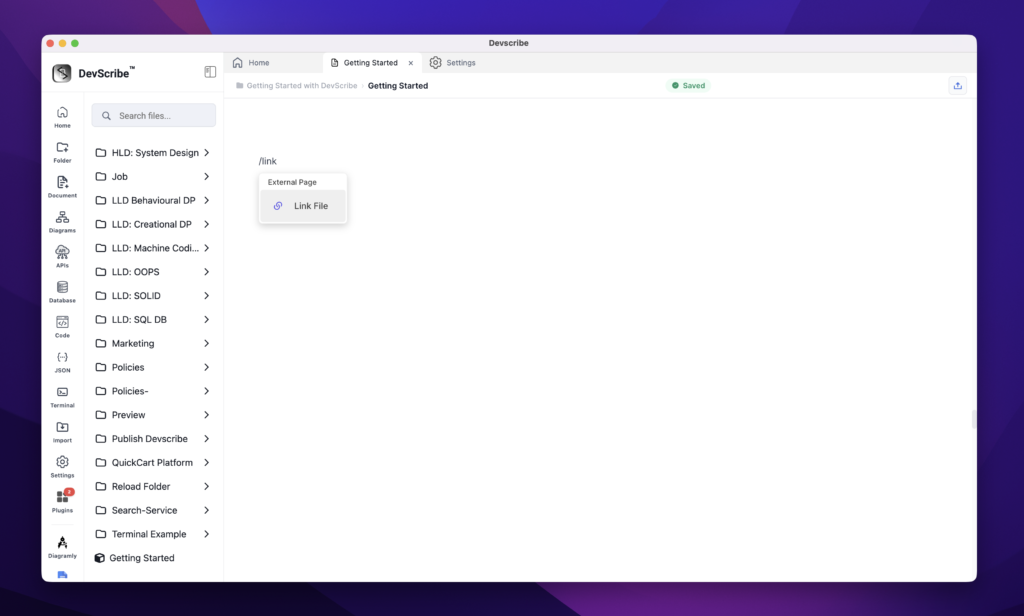
To add a resource:
- Type
/ - Select Link File
- Choose the project file you want to reference
Depending on the file type, DevScribe will either create a link or render an interactive embedded view.
Supported Embeds
- Documents
- APIs
- Database Queries
- Code Files
- JSON Payloads
- Diagrams
- Terminal Sessions
- Docker Configurations
- External Integrations
Example
A User Service document can contain:
- Service Overview Documentation
- Architecture Diagram
- API Collection
- Database Queries
- Sample JSON Requests
- Docker Compose Setup
- Troubleshooting Commands
All accessible directly from a single page.
