
Working with Elasticsearch and OpenSearch in DevScribe
When an application needs more than a simple database lookup, search engines can become an important part of the architecture.
Elasticsearch and OpenSearch are commonly used for full-text search, indexing, filtering, and analytics. They store data in a way that’s optimized for searching rather than traditional relational database operations.
DevScribe’s Database Client supports both Elasticsearch and OpenSearch, so you can connect to your search infrastructure and inspect its data alongside the rest of your development workflow.
Connect Your Search Engine
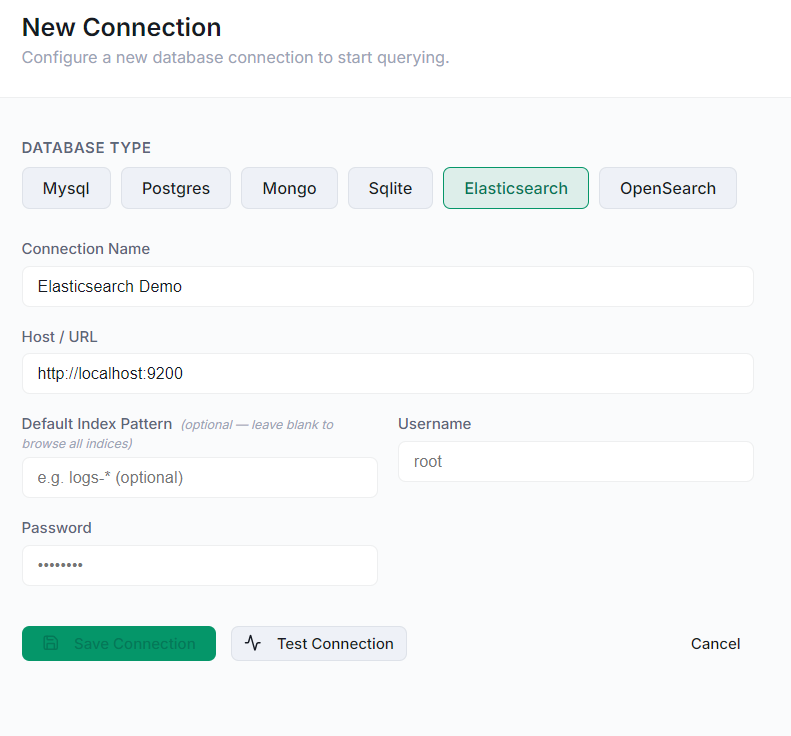
To work with Elasticsearch or OpenSearch in DevScribe:
- Open the Database plugin.
- Create a New Connection.
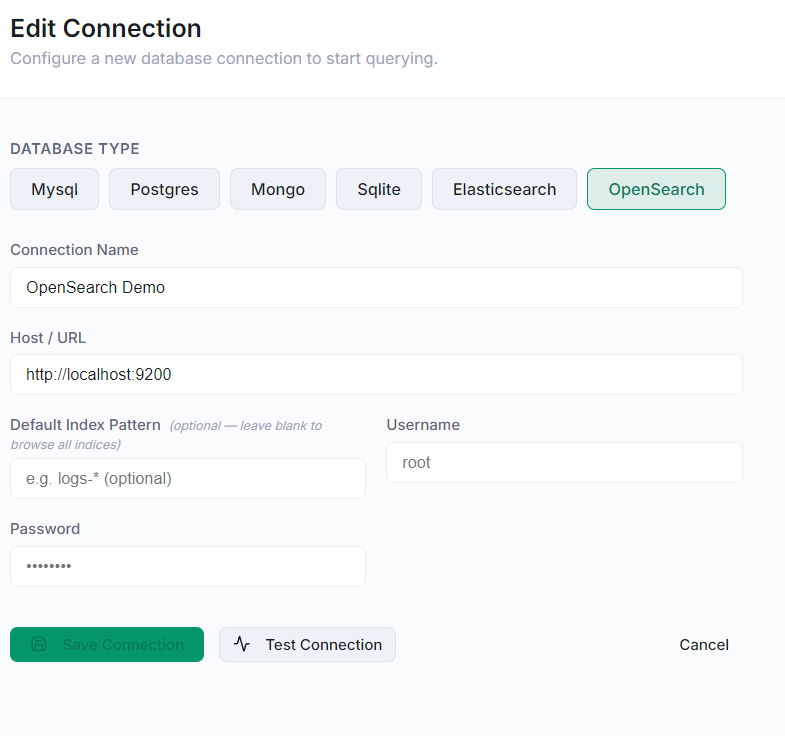
- Select Elasticsearch or OpenSearch.
- Enter the connection details for your instance.
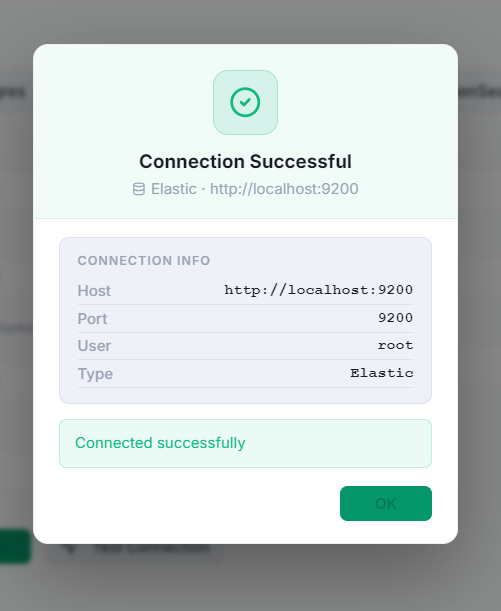
- Test the connection.
Once connected, the service is available from the Database workspace.
Run and View a Query
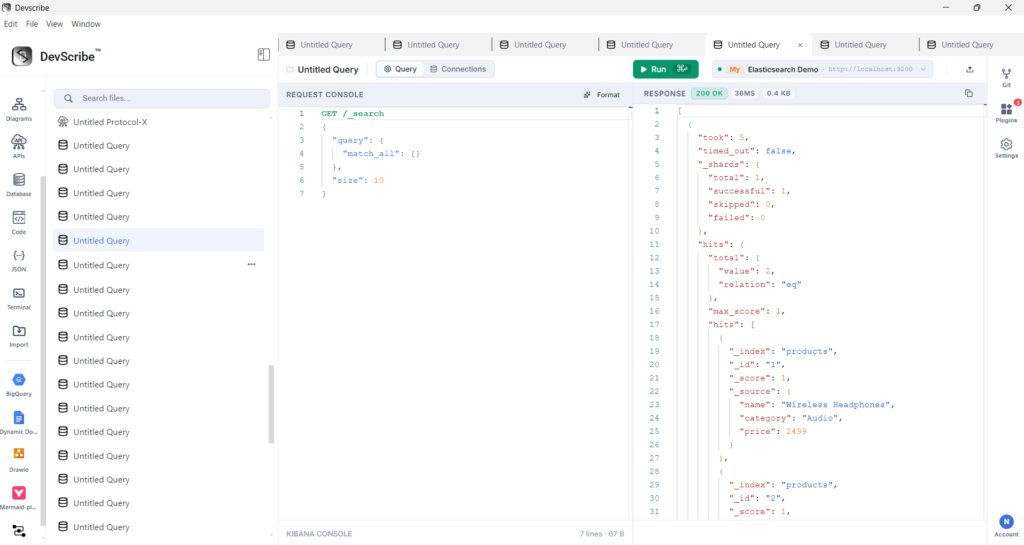
After connecting your Elasticsearch or OpenSearch instance, create a query and select the appropriate connection.
Enter your query in the query editor.
For example, an Elasticsearch/OpenSearch query can retrieve documents from an index:
{
  "query": {
    "match_all": {}
  }
}
Execute the query to send it to the connected search engine.
The query can be modified and executed again whenever you need to test a different search operation.
After executing the query, DevScribe displays the response in the result area.
The response contains the documents and information returned by Elasticsearch or OpenSearch.
Viewing the response directly in DevScribe makes it easier to inspect indexed data while developing and testing search functionality.
Explore Indexes and Documents
Elasticsearch and OpenSearch don’t organize data around tables like PostgreSQL or MySQL.
Instead, searchable data is organized into indexes, which contain documents.
This difference matters when you’re working with an application that uses a search engine alongside its primary database.
For example, an e-commerce application might keep its transactional data in PostgreSQL while maintaining a separate search index containing product information.
With DevScribe, you can inspect that search data directly from the Database workspace.
Inspect Your Indexed Data
Being able to see the data inside a search engine can be useful when something doesn’t behave as expected.
Suppose an API returns incomplete search results. Looking at the indexed documents can help you determine whether:
- The document exists in the index
- The expected fields are present
- The indexed data matches the application’s source data
- The search layer contains the information the API is looking for
Instead of treating the search engine as a black box, you can inspect the data behind the search functionality.
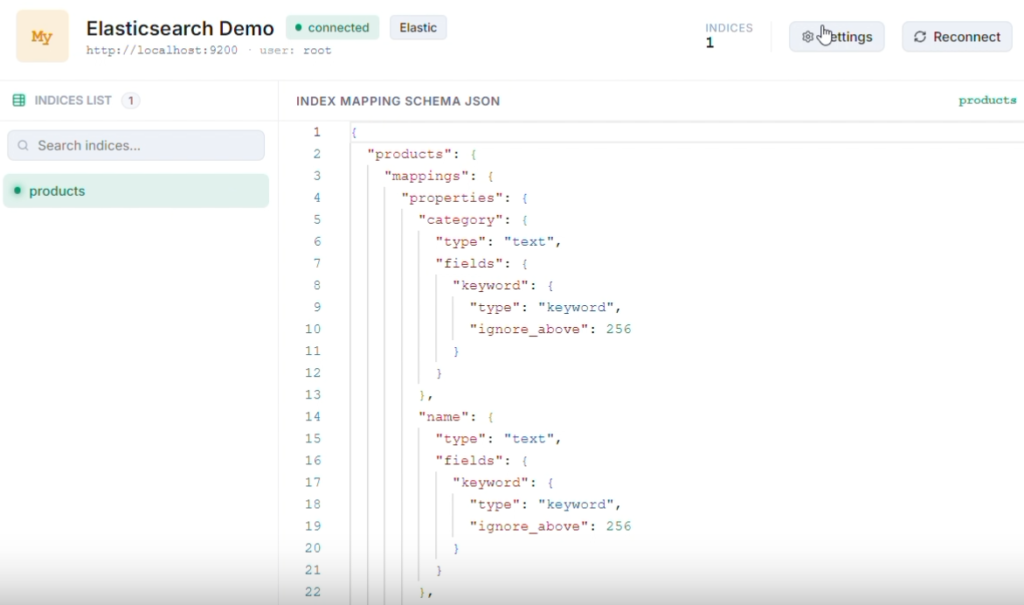
Elasticsearch Walkthrough:
Opensearch walkthrough:
Elasticsearch and OpenSearch
DevScribe supports both Elasticsearch and OpenSearch.
Although they are separate search and analytics technologies, they serve similar roles in many application architectures. The DevScribe Database Client provides connections for both, allowing you to work with the search engine your project already uses.
You don’t need to change your application’s search infrastructure to use the DevScribe workflow.
Why Use Elasticsearch or OpenSearch in DevScribe?
Working with Elasticsearch or OpenSearch in DevScribe can be useful when you need to:
- Inspect indexes and documents
- Investigate indexed application data
- Understand how a search system is structured
- Debug search-related API behavior
- Check whether expected data has been indexed
- Work with search infrastructure alongside your APIs and documentation
Search Data in the Context of Your Project
Search data rarely exists in isolation.
It is usually connected to application code, APIs, databases, and the user-facing functionality built around it.
Having Elasticsearch or OpenSearch available alongside these other development resources makes it easier to understand those connections.
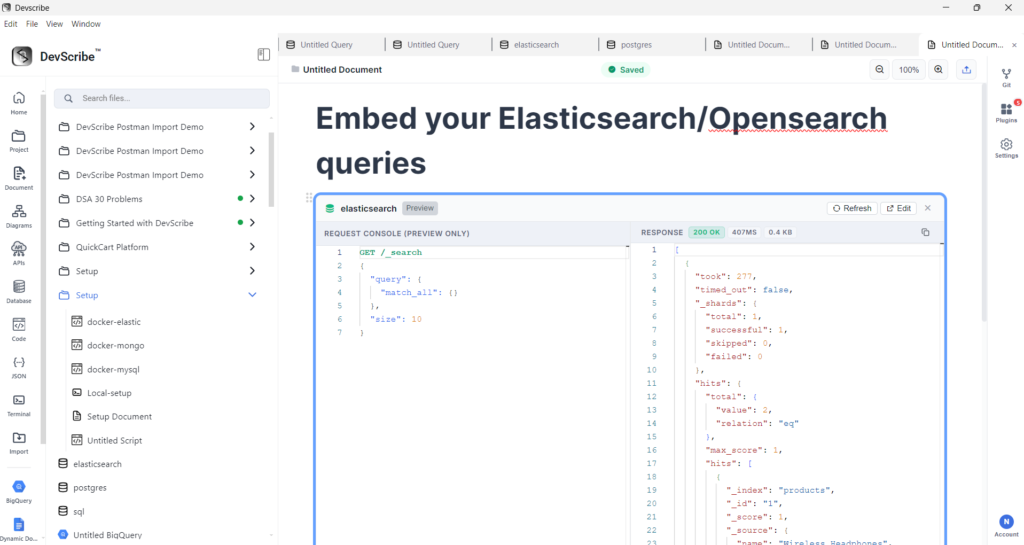
Embed Elasticsearch and OpenSearch Query in DevScribe
Elasticsearch and OpenSearch queries can be embedded into DevScribe documents to keep search-related database information together with the documentation for your project.
To embed an Elasticsearch or OpenSearch query:
- Open the Document where you want to add the search query.
- Place the cursor at the required location.
- Type
/to open the document command menu. - Search for
link file. - Select the Elasticsearch or OpenSearch query resource from your project.
- DevScribe adds the resource directly to the document.
This is particularly useful for documenting search functionality because queries, indexes, and explanations of the search layer can be kept together in one place.
Conclusion
Elasticsearch and OpenSearch provide the search layer for many applications, but understanding that layer often requires looking beyond the API itself.
With both supported in DevScribe’s Database Client, you can connect to your search infrastructure, explore indexes and documents, and inspect the data behind your application’s search functionality.
That makes search infrastructure another part of the development context you can keep close to your code, APIs, and documentation.
