Used by developers in 75 countries

Design, document
and run it.

One desktop app.

An offline workspace for software engineers and architects. Docs, architecture diagrams, database queries, API tests and executable code in a single window.

macOS · Windows · Linux — free forever
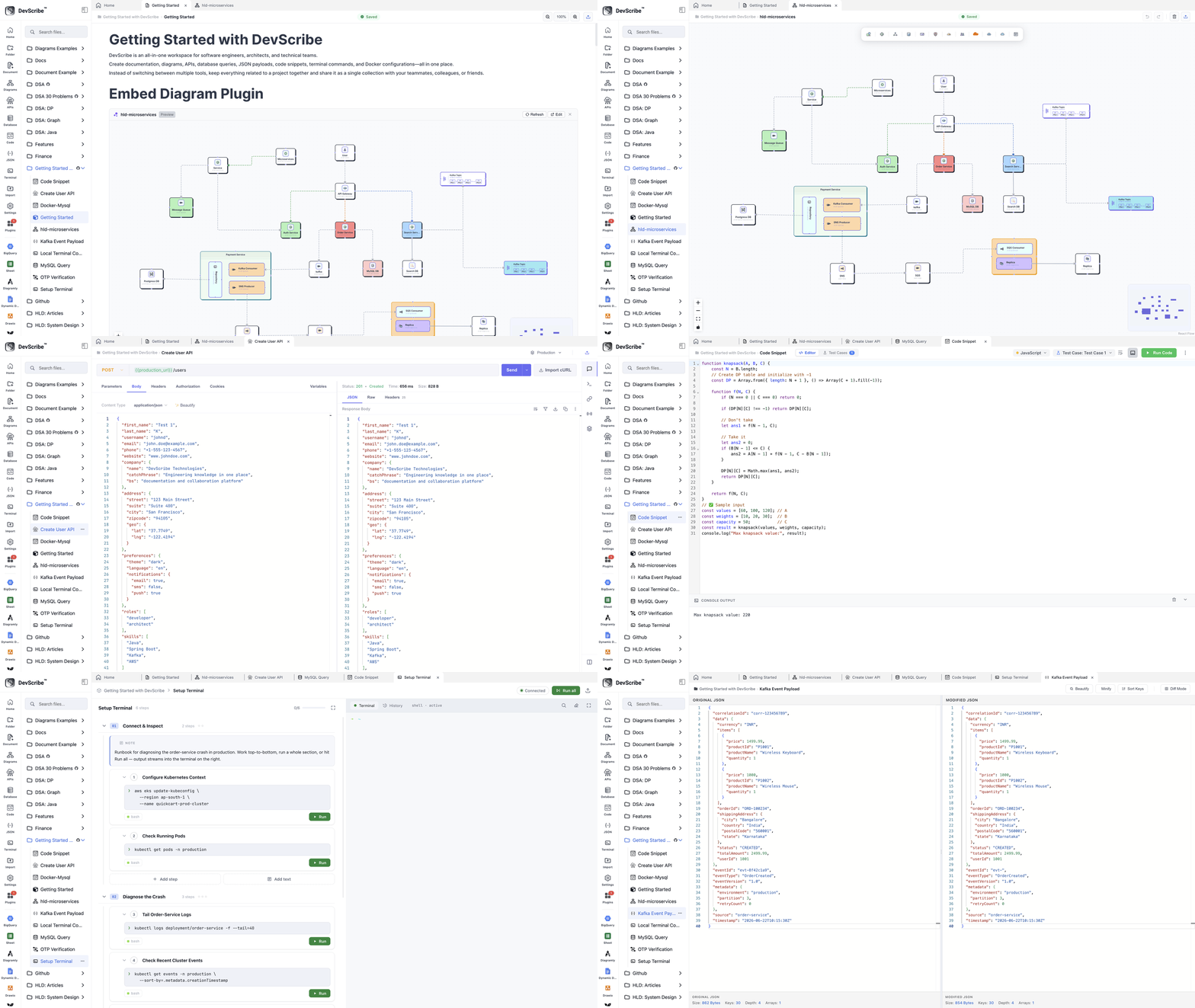
All-in-One Developer Workspace
Devscribe architecture diagram
Documentation HLD & LLD ERD UML Sequence Flowchart DSA visuals JavaScript TypeScript Java Python Shell / Bash SQL MySQL PostgreSQL MongoDB Redis Elasticsearch REST WebSocket MQTT Kafka Amazon SQS JSON Docker Compose Terminal GitHub sync Plugins

01 — Plugin architecture

A small core. Everything else is a plugin.

Devscribe ships with the plugins below installed. Install more from the plugin library, or write your own and keep it private to your team.

Installed Community
/doc
Documentation editor
Block-based writing with headings, lists, tables and embeds — structured like the code it describes.
/diagram
Diagramly
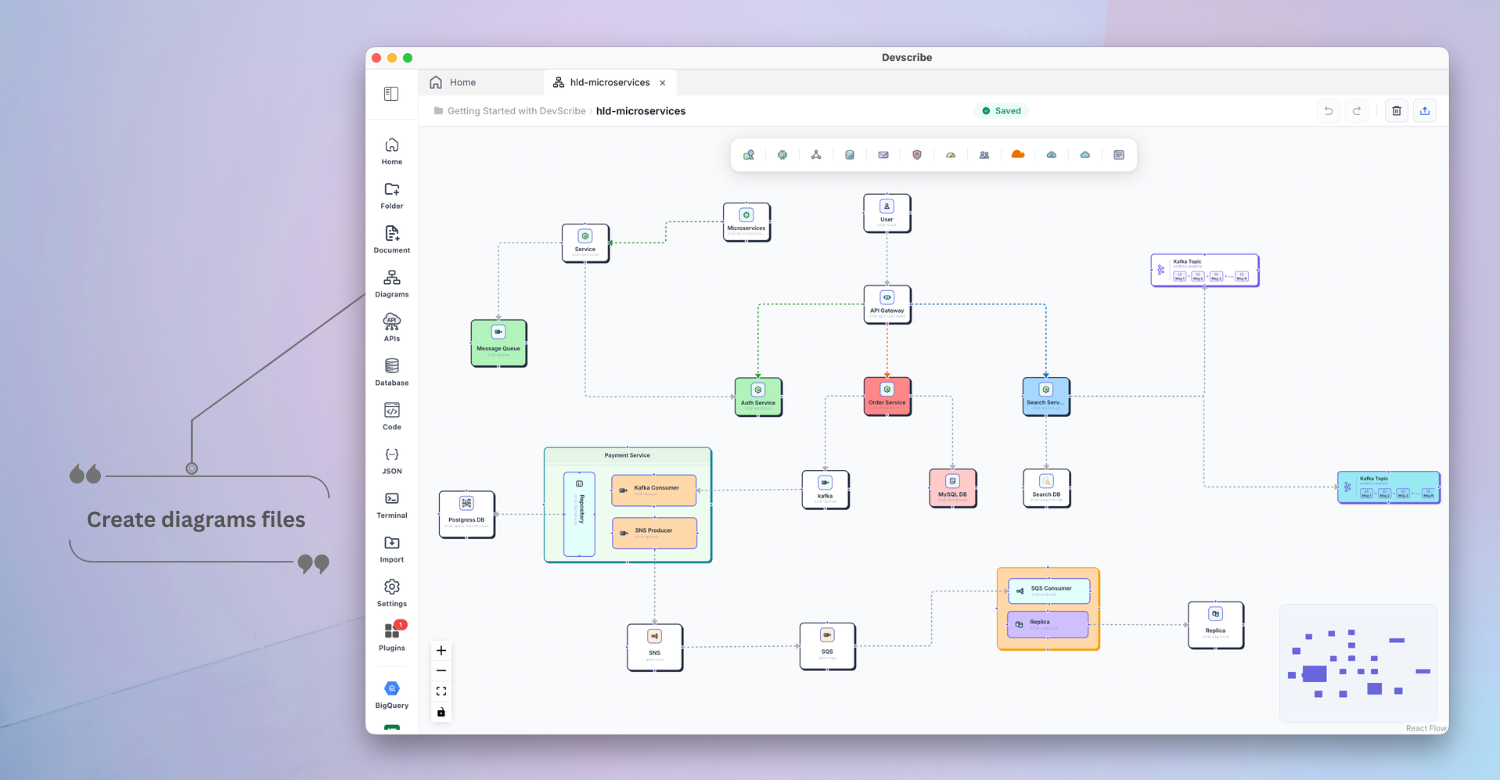
HLD, LLD, ERD, UML, sequence and flowchart diagrams, plus DSA visuals. Export to PNG or SVG.
/code
Code execution
Run JavaScript, TypeScript, Java, Python, Shell and SQL inline, and execute Docker Compose files.
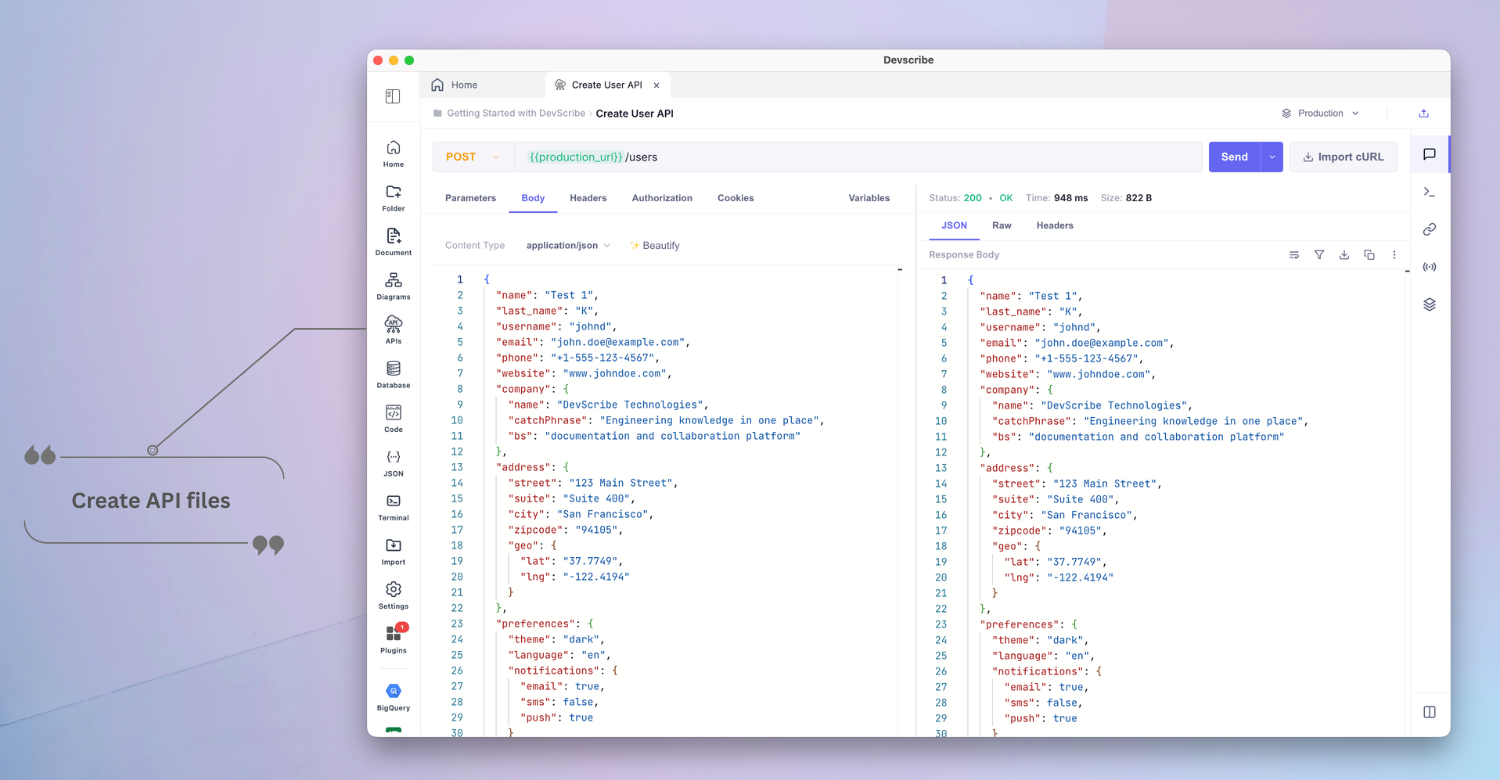
/api
API client
Test REST, WebSocket, SSE, MQTT, Kafka, SQS and webhooks with reusable environments.
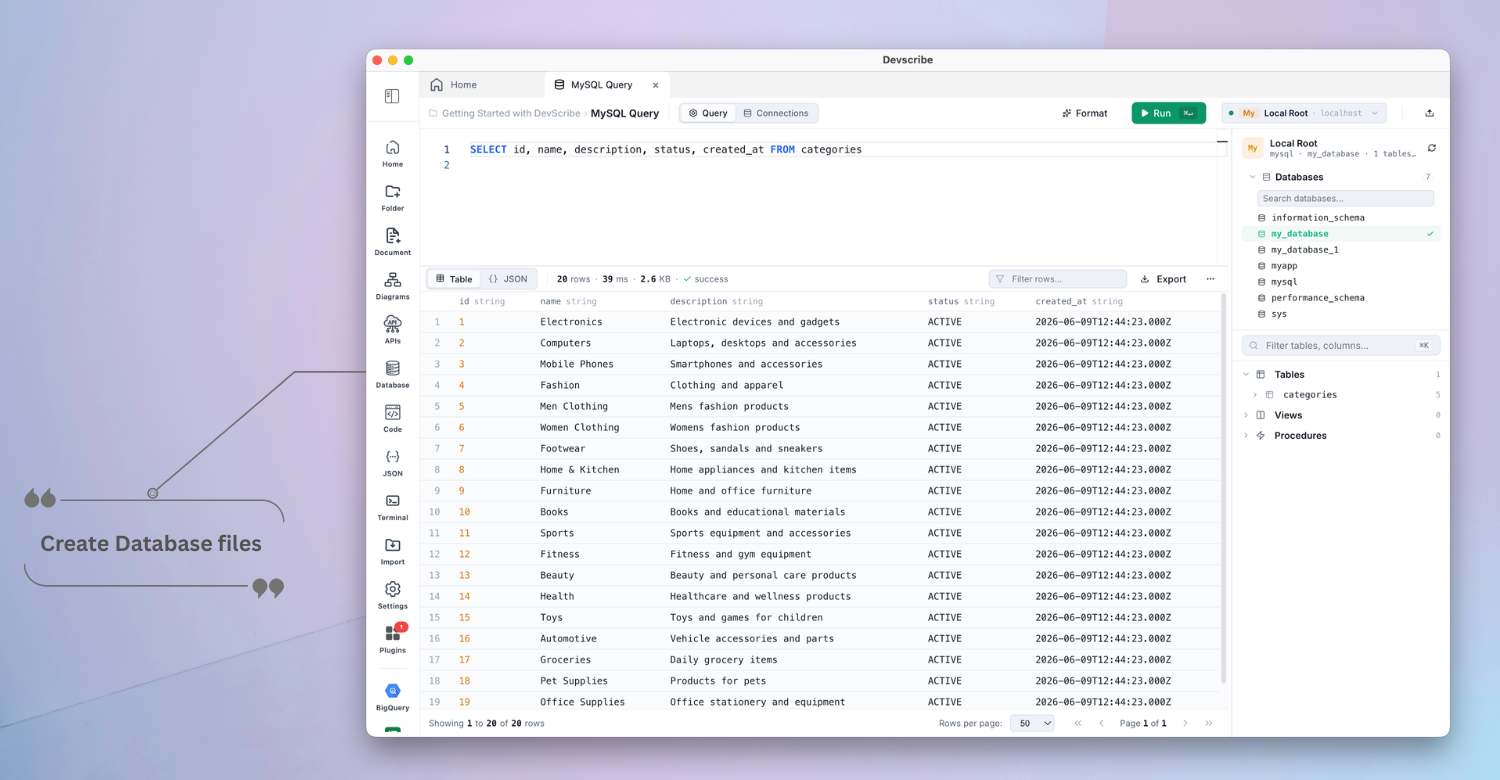
/db
Database browser
Connect MySQL, PostgreSQL, SQLite, MongoDB, Redis and Elasticsearch, and query them in place.
/terminal
Terminal & JSON
Local terminal commands and JSON payload tooling, without leaving the workspace.
/doc
Documentation editor
Block-based writing with headings, lists, tables and embeds — structured like the code it describes.
/diagram
Diagramly
HLD, LLD, ERD, UML, sequence and flowchart diagrams, plus DSA visuals. Export to PNG or SVG.
/code
Code execution
Run JavaScript, TypeScript, Java, Python, Shell and SQL inline, and execute Docker Compose files.
/api
API client
Test REST, WebSocket, SSE, MQTT, Kafka, SQS and webhooks with reusable environments.
/db
Database browser
Connect MySQL, PostgreSQL, SQLite, MongoDB, Redis and Elasticsearch, and query them in place.
/terminal
Terminal & JSON
Local terminal commands and JSON payload tooling, without leaving the workspace.
/browse
Install community plugins
Add blocks the core does not ship with — new diagram types, language runtimes or export formats — from inside the app.
/custom
Build your own
Write a plugin for your team's internal tooling and keep it local. Same block API the core plugins are built on.
/browse
Install community plugins
Add blocks the core does not ship with — new diagram types, language runtimes or export formats — from inside the app.
/custom
Build your own
Write a plugin for your team's internal tooling and keep it local. Same block API the core plugins are built on.

Diagramly

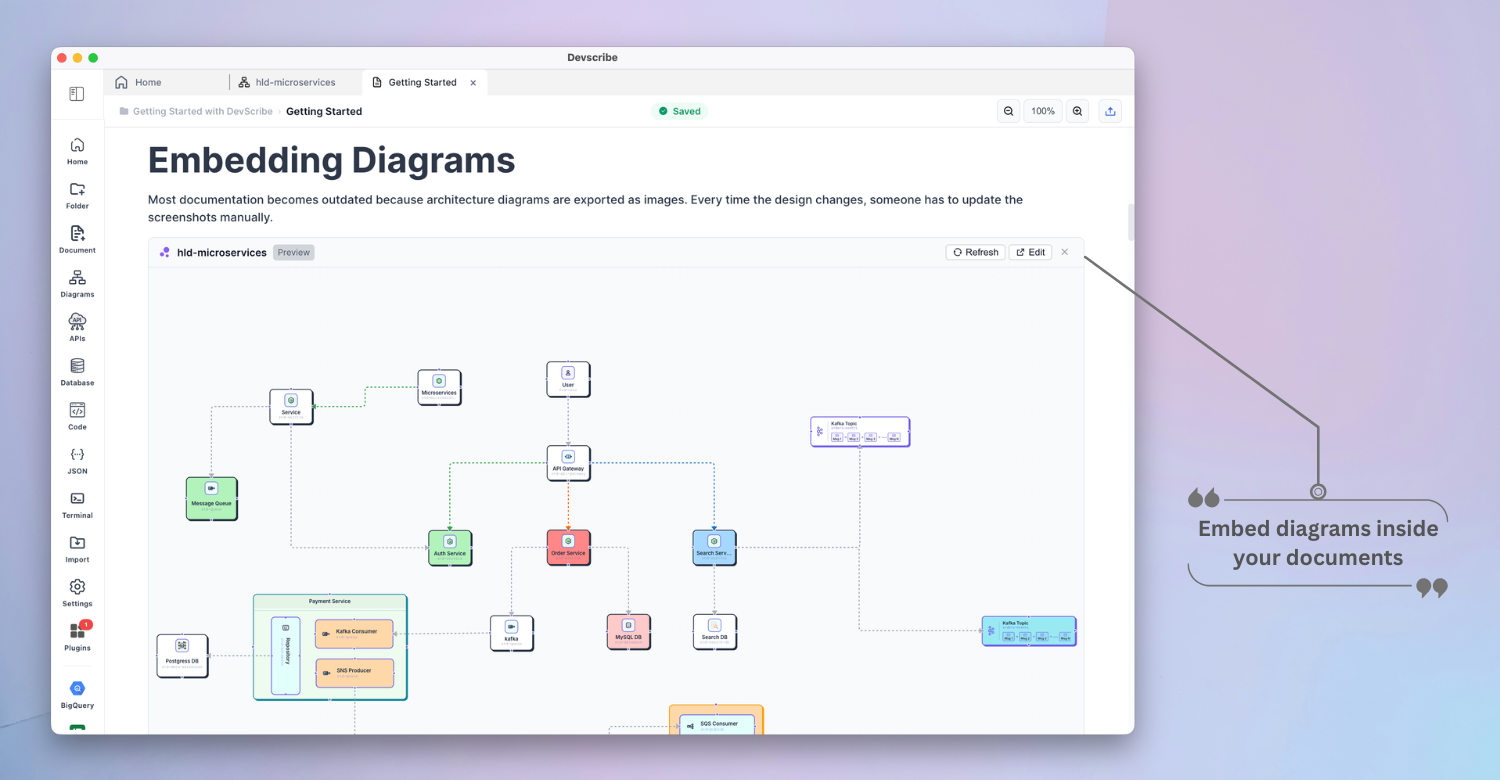
Architecture that lives with the docs.

Draw high-level design, ERDs, UML classes and DSA visuals with a component library built for backend systems.

  • AWS, queue, cache and database components
  • HLD, LLD, ERD, UML, sequence and flowchart
  • Excalidraw and Mermaid available as plugins

Execution

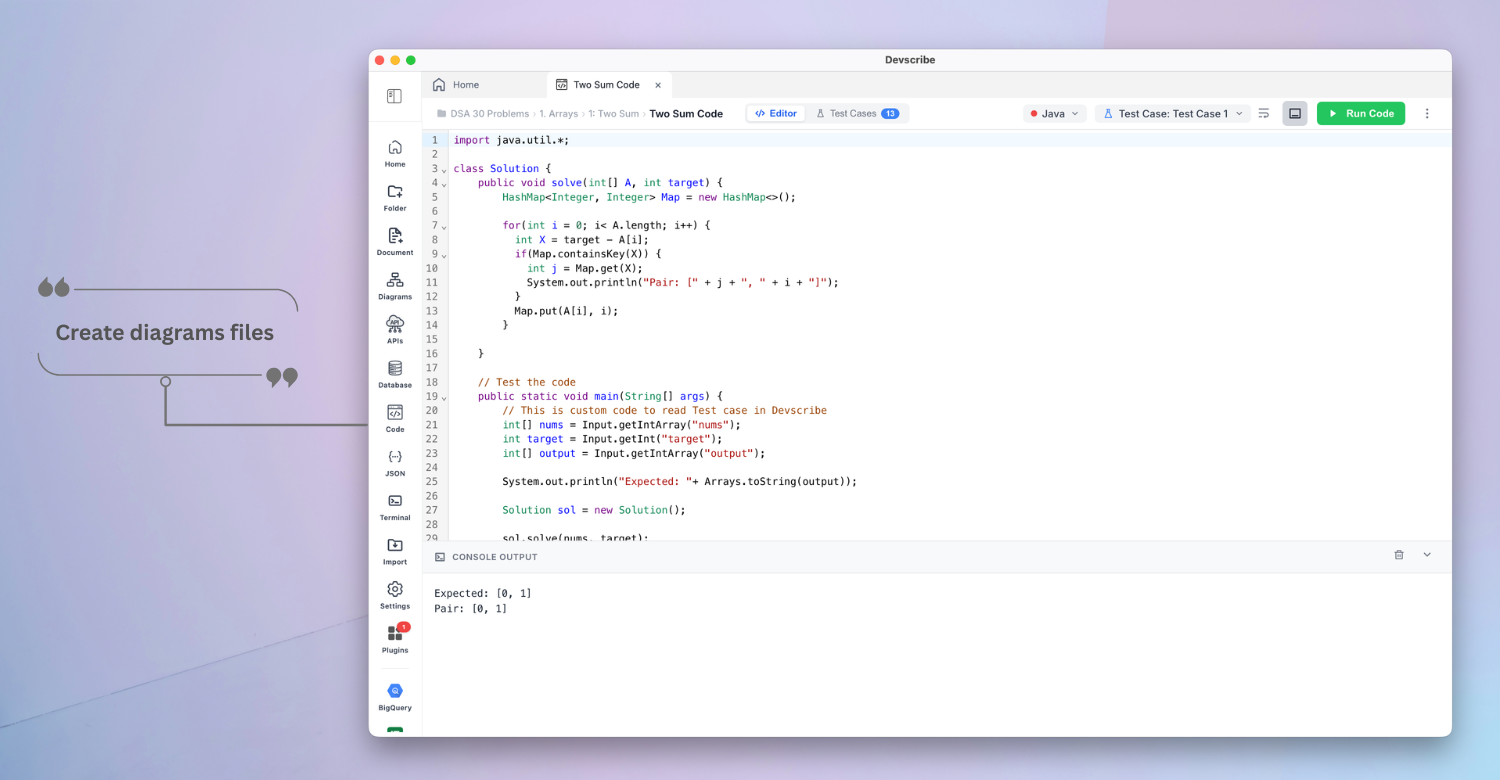
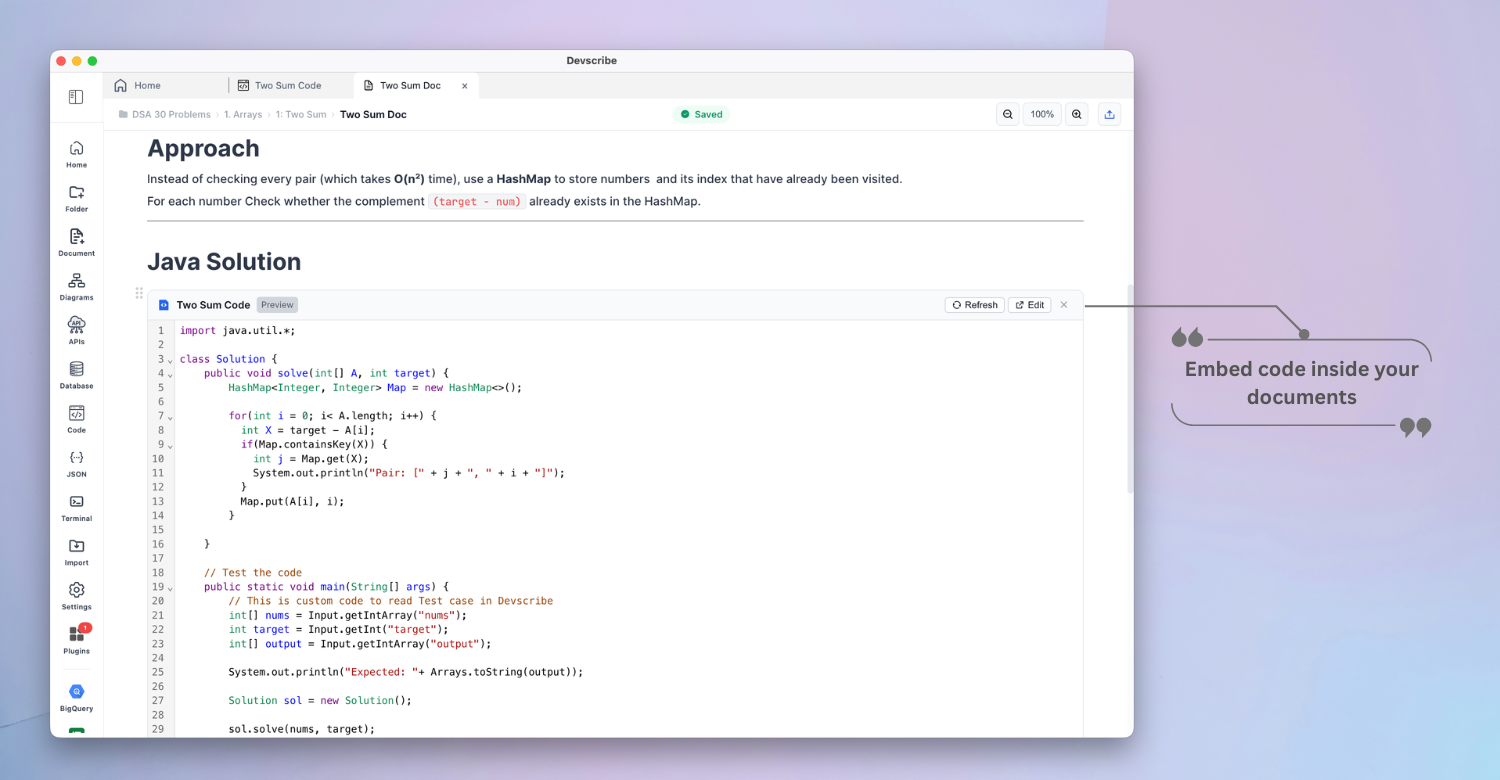
Documentation you can run.

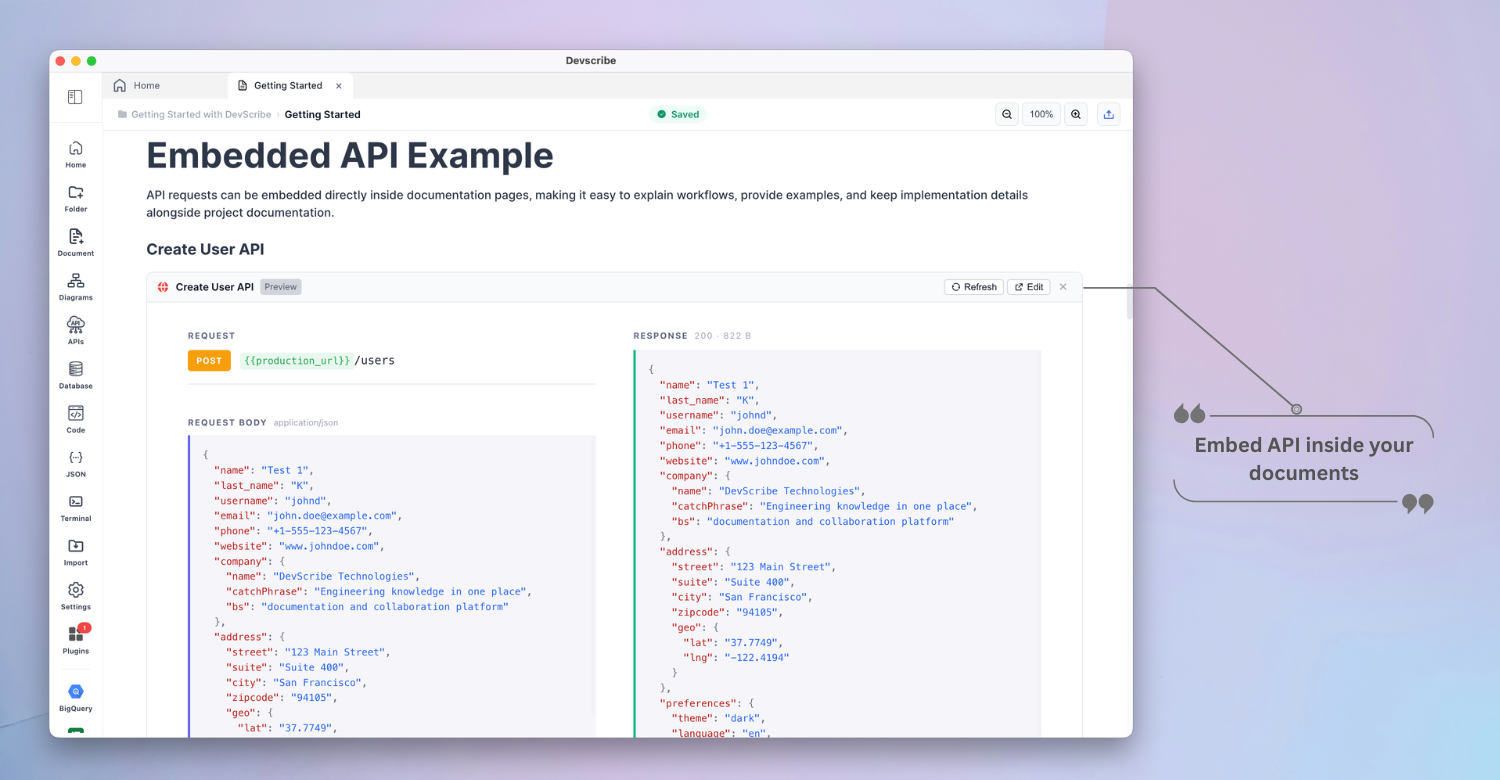
Code blocks execute in place with console output, so an example is never out of date with the code it teaches.

  • JavaScript, TypeScript, Java, Python, Shell and SQL
  • Run Docker Compose without leaving the app
  • No terminal or local toolchain setup

APIs

Test endpoints where you document them.

Define a request, run it and keep the response beside the explanation. No second API client to keep in sync.

  • REST with all methods, headers, auth and environments
  • WebSocket, SSE, Socket.IO and webhooks
  • MQTT, Kafka and Amazon SQS

Data

Query your database in context.

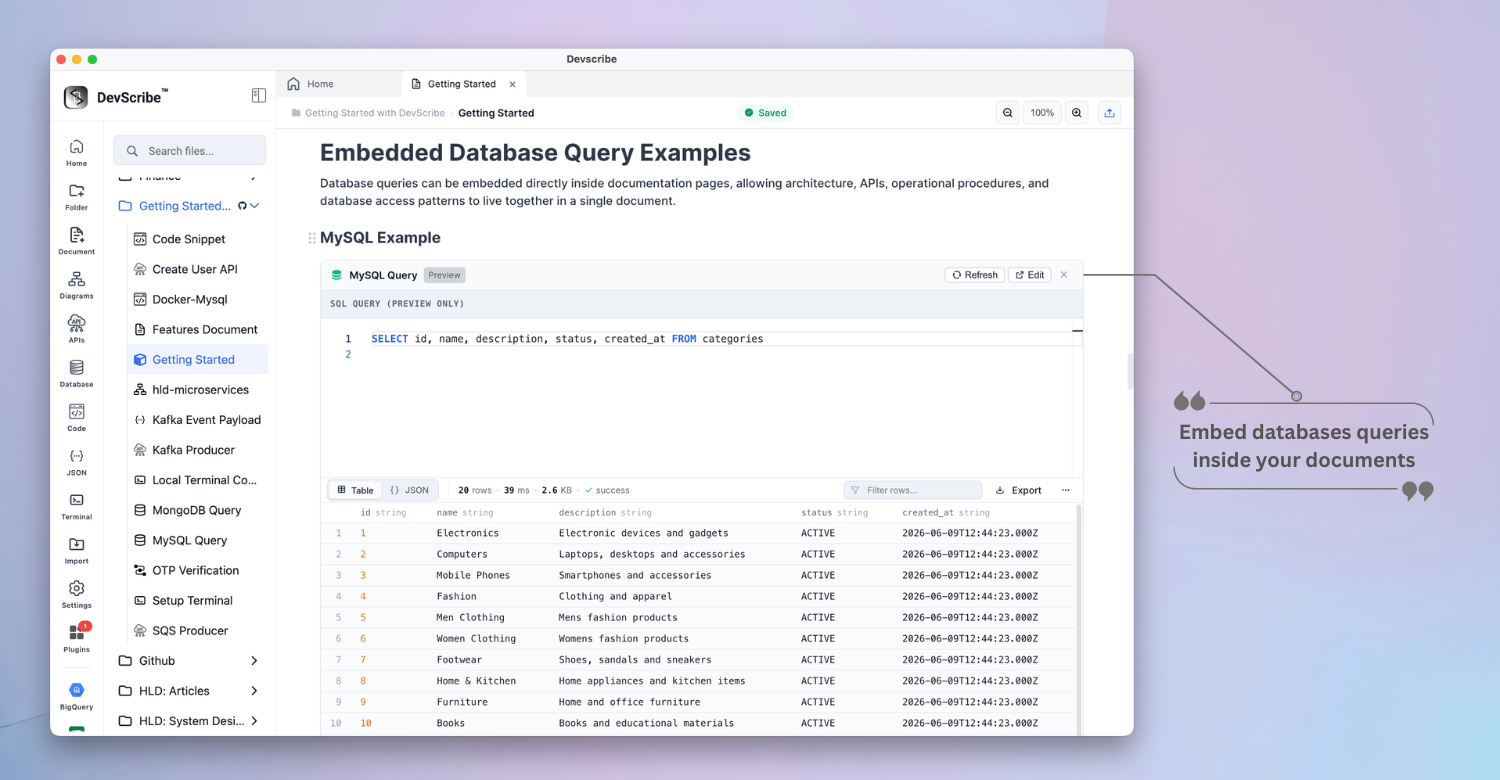
Connect SQL, NoSQL and search engines, and keep schema notes, queries and results in the same place as the design that produced them.

  • MySQL, PostgreSQL and SQLite
  • MongoDB, Redis, Elasticsearch and OpenSearch
  • Interactive table or JSON results
06 — Privacy

Your data stays on your machine.

No servers and no forced cloud sync. Devscribe works on a plane, behind a corporate firewall, or in an air-gapped environment.
Your machine Offline
Documents Diagrams Code and output API requests Database credentials Query results Terminal history
Never uploaded · never read · never synced
↓ opt-in only
GitHub backup
End-to-end encrypted. Off until you turn it on.
Disabled by default
Signing up is optionalAir-gap safe Runs behind a firewall

Start Documenting Smarter

Free forever on macOS, Windows and Linux. No account, no trial,
no upgrade prompt.