
Sequence Diagrams
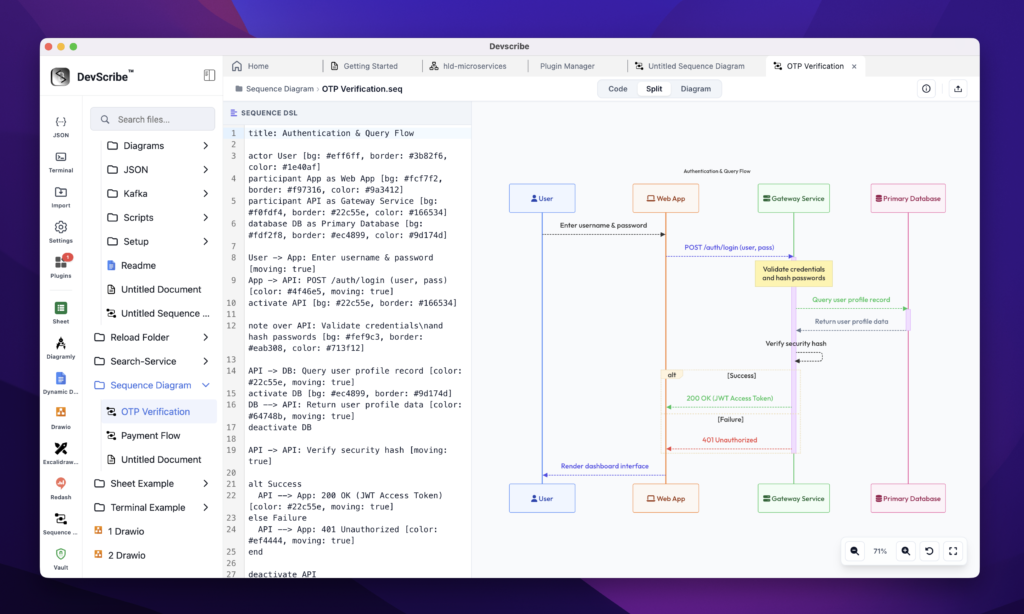
The Sequence Diagram Plugin enables you to visualize how users, services, applications, and systems interact over time. It helps you document request flows, service communication, and runtime behavior using an easy-to-create sequence diagram editor.
Whether you’re documenting an API workflow, explaining a microservice interaction, designing an authentication process, or debugging a production issue, sequence diagrams provide a clear representation of how messages are exchanged between different participants.
Common Use Cases
Sequence diagrams are ideal for:
- API request and response flows
- Microservice communication
- Authentication and authorization workflows
- Event-driven architectures
- Business process documentation
- Payment processing flows
- Third-party integrations
- Debugging complex interactions
Dynamic Engineering Documentation
Sequence diagrams can be embedded directly into your documentation, allowing implementation details, API documentation, architecture decisions, and runtime workflows to live together in a single document.
When a sequence diagram is updated, every embedded instance is automatically synchronized with the latest version. This eliminates the need to export screenshots or maintain duplicate copies, ensuring your documentation always reflects the current system behavior.
Learn More
Continue with the following guides to get the most out of the Sequence Diagram Plugin:
- Creating a Sequence Diagram
- Diagram Syntax
- Styling & Customization
- Editing Sequence Diagrams
- Embedding Sequence Diagrams
