
Working with MongoDB in DevScribe
MongoDB is a document-oriented database that stores data as flexible, JSON-like documents rather than rows and columns.
DevScribe’s Database Client supports MongoDB, allowing you to connect to a MongoDB database, explore collections and documents, and run queries directly from your workspace.
Connect to MongoDB
To connect a MongoDB database in DevScribe:
- Open the Database plugin.
- Create a New Connection.
- Select MongoDB as the database type.
- Enter the connection details for your MongoDB instance.
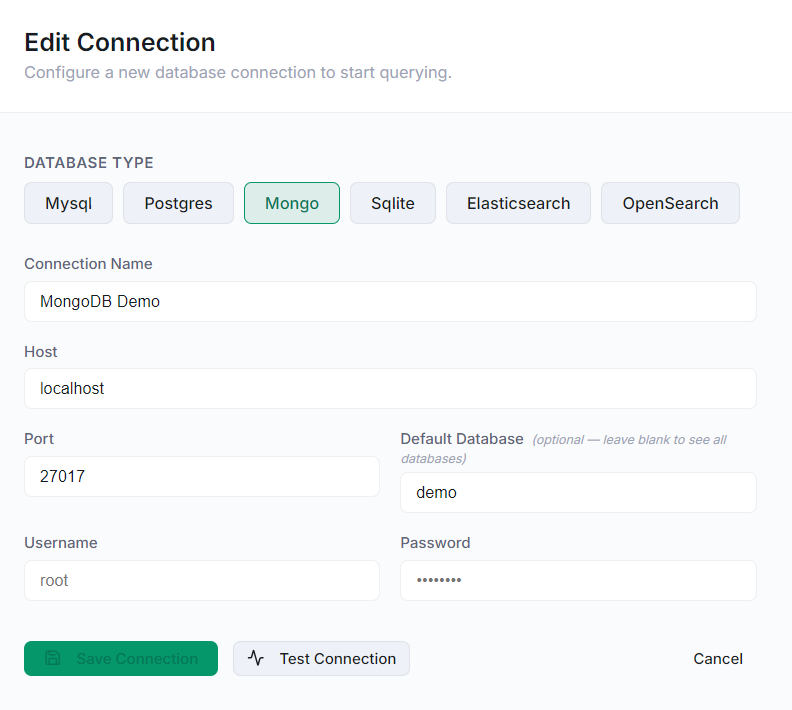
The connection configuration lets you provide the details required to access your database.
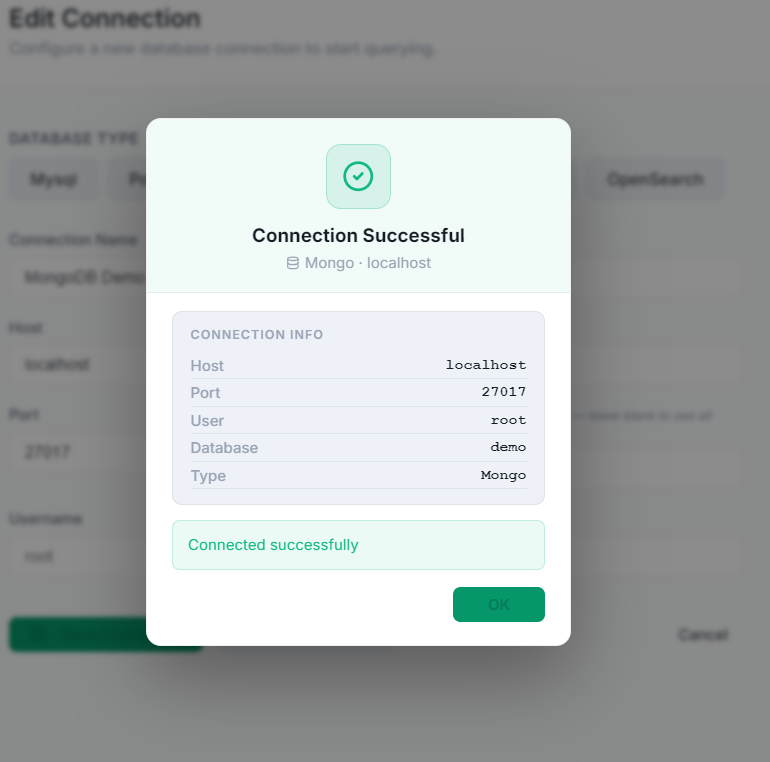
Once the connection is established, your MongoDB database becomes available in the Database workspace.
Explore Collections and Documents
MongoDB organizes data differently from relational databases.
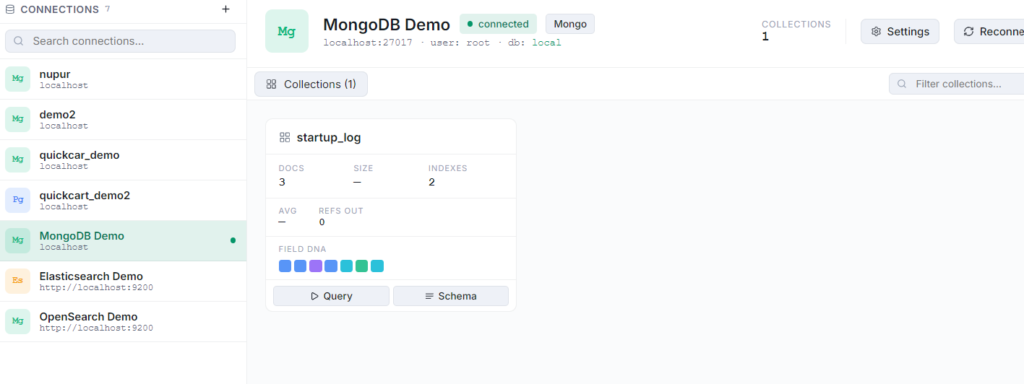
Instead of tables, MongoDB uses collections, which contain documents.
Once connected, you can browse your database and inspect its collections and documents directly in DevScribe.
For example, a users collection might contain documents such as:
{
  "name": "Aarav",
  "email": "aarav@example.com",
  "role": "Developer"
}
This makes it easy to inspect the structure and contents of an existing MongoDB database while working on an application.
Run MongoDB Queries
DevScribe also lets you run MongoDB queries from the database workspace.
For example, to retrieve the documents in the users collection:
db.users.find()The results are displayed directly in DevScribe, allowing you to inspect your MongoDB data without switching to another database client.
Exploring the Schema
MongoDB is schema-flexible, but understanding the structure of the documents in a collection is still important when working with an existing application.
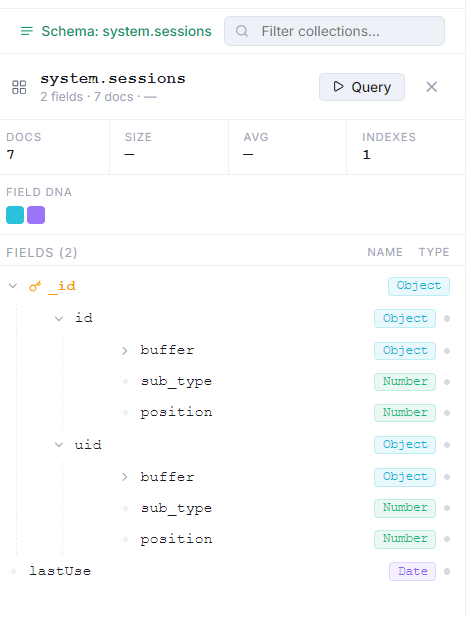
DevScribe lets you explore database schemas alongside your collections and queries. This makes it easier to understand the fields and structure used by the application’s data.
For example, documents in a users collection might contain fields such as:
{
  "name": "Nupur",
  "email": "nupur@example.com",
  "role": "developer"
}
Looking at the document structure while working with the database helps you understand what data is available and how it is organized.
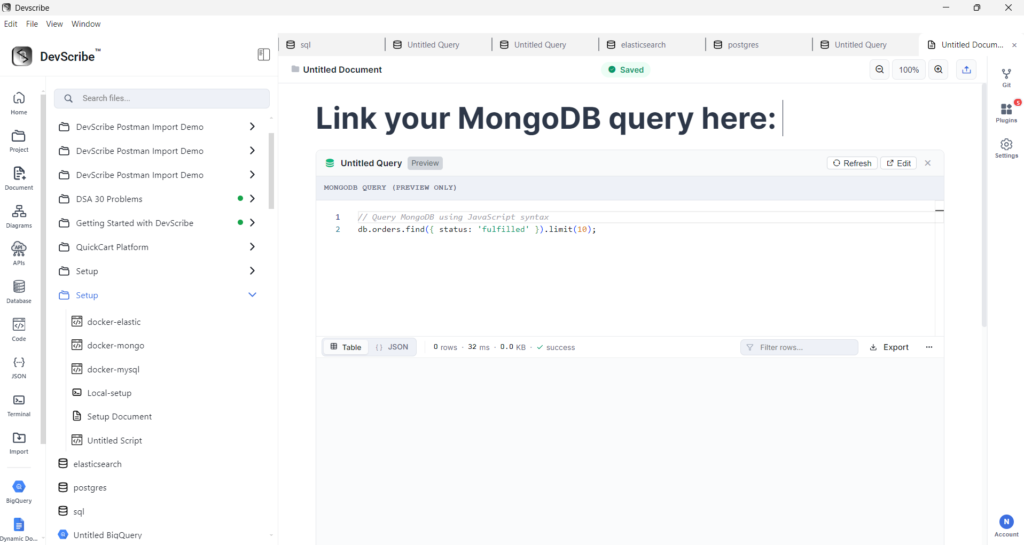
Embed MongoDB Query in DevScribe
DevScribe lets you embed database resources directly into your documents, so database queries and information can be kept alongside the documentation for your project.
To embed a MongoDB query:
- Open the Document where you want to add the database resource.
- Place the cursor where you want the query to appear.
- Type
/to open the document command menu. - Search for
link file. - Select the MongoDB query resource from your project.
- The query is added directly to the document as an embedded resource.
Once embedded, the query can be kept alongside explanations, database documentation, and other project information. This makes it easier to reference the query while documenting how your application interacts with its Mongo database.
Why Use MongoDB in DevScribe?
MongoDB support is useful when you need to:
- Explore MongoDB databases
- Browse collections and documents
- Run MongoDB queries
- Inspect application data
- Work with MongoDB-backed APIs
- Keep database work alongside your documentation and development resources
Conclusion
DevScribe’s Database Client brings MongoDB into the same workspace as your APIs, documentation, code, and other development tools.
You can connect to a MongoDB database, explore its collections and documents, and run queries without leaving your DevScribe workspace.
Here’s a walkthrough:
