
Real-Time Communication Testing
The API Plugin supports testing real-time communication protocols directly from DevScribe. Whether you’re working with WebSockets, Server-Sent Events (SSE), or Socket.IO, you can establish connections, exchange messages, and monitor live events without switching to another tool.
WebSocket Testing
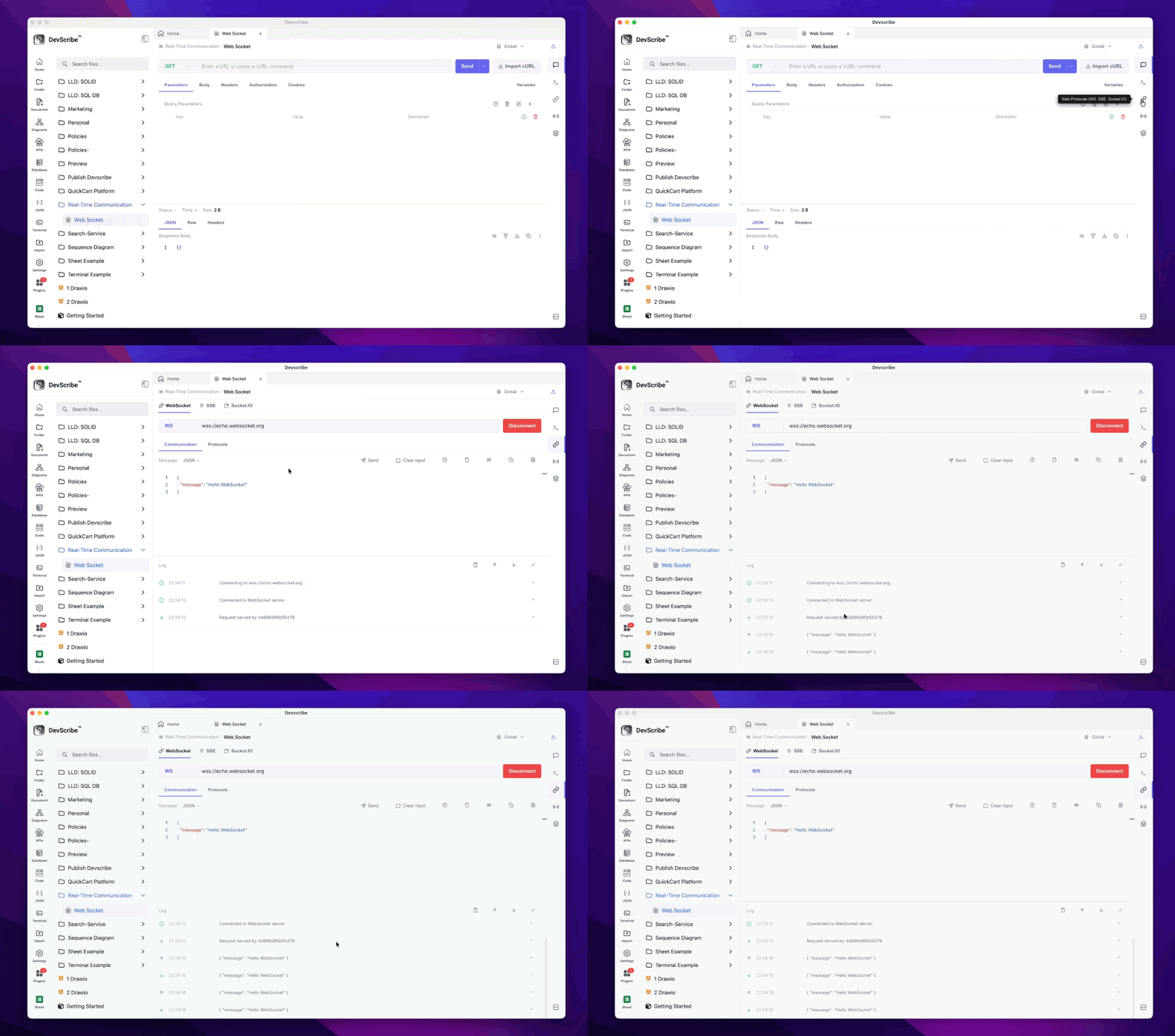
The WebSocket client allows you to establish a persistent connection with any WebSocket server, making it easy to test real-time applications and bidirectional communication.
Common Use Cases
- Chat applications
- Live notifications
- Real-time dashboards
- Multiplayer applications
- IoT devices
How to Test
- Create or open an API file.
- Select WebSocket.
- Enter the WebSocket server URL.
- Click Connect.
- Send messages using the message editor and monitor incoming responses in real time.
Once connected, you can continuously exchange messages without reconnecting, making it ideal for testing live applications.
Server-Sent Events (SSE)
Server-Sent Events (SSE) provide a simple way for servers to push real-time updates to clients over a single HTTP connection.
Common Use Cases
- Live notifications
- Stock price updates
- Monitoring dashboards
- Event streams
- Activity feeds
How to Test
- Create or open an API file.
- Select Server-Sent Events (SSE).
- Enter the SSE endpoint URL.
- Click Connect.
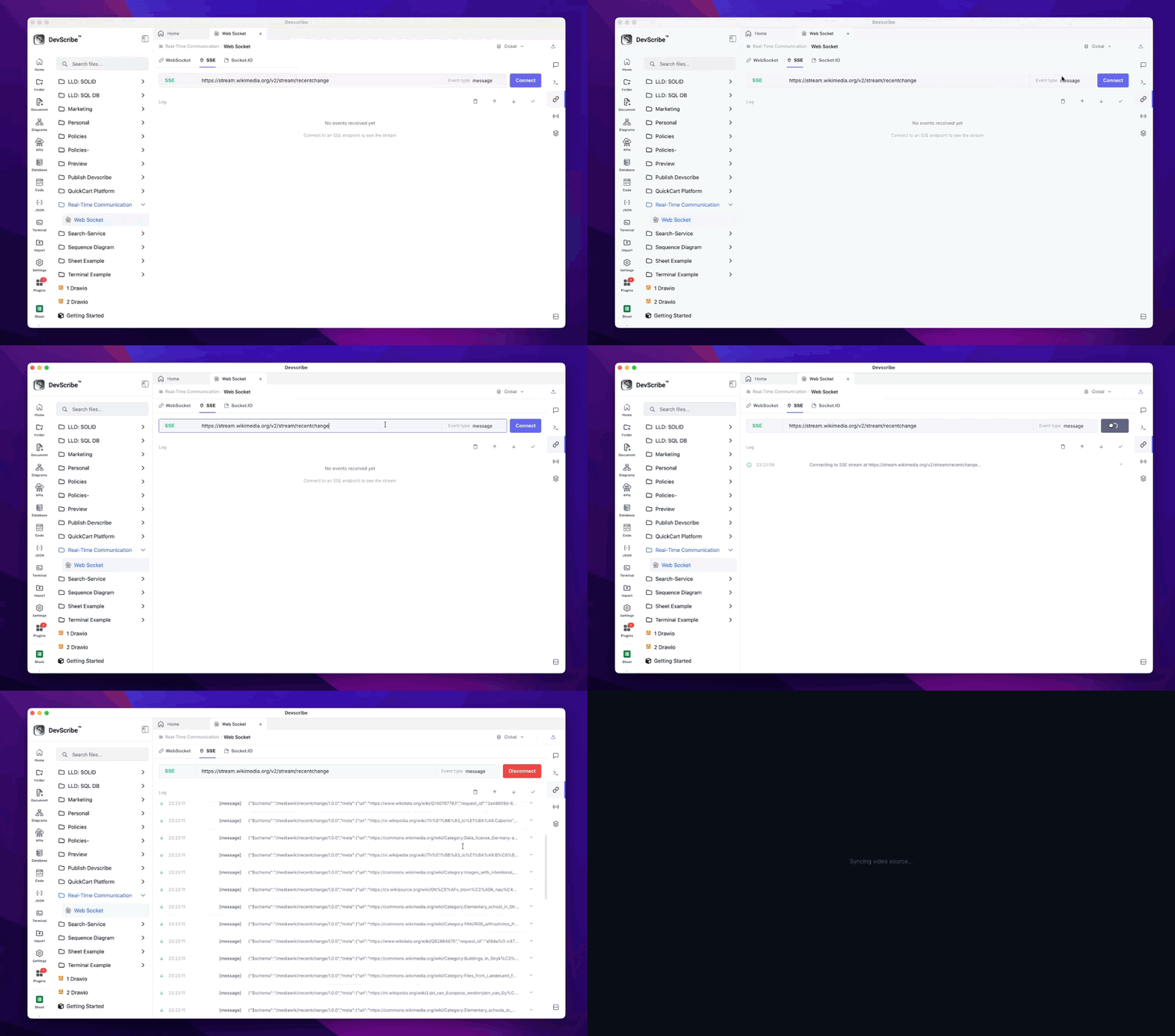
DevScribe immediately starts listening for incoming events and displays each event as it is received, allowing you to monitor live server updates in real time.
Socket.IO Testing
The Socket.IO client makes it easy to test applications built with Socket.IO without writing custom client code.
Common Use Cases
- Real-time chat
- Collaborative applications
- Notification systems
- Multiplayer games
- Event-driven applications
How to Test
- Create or open an API file.
- Select Socket.IO.
- Enter the Socket.IO server URL.
- Click Connect.
- Emit events and monitor incoming events directly within the editor.
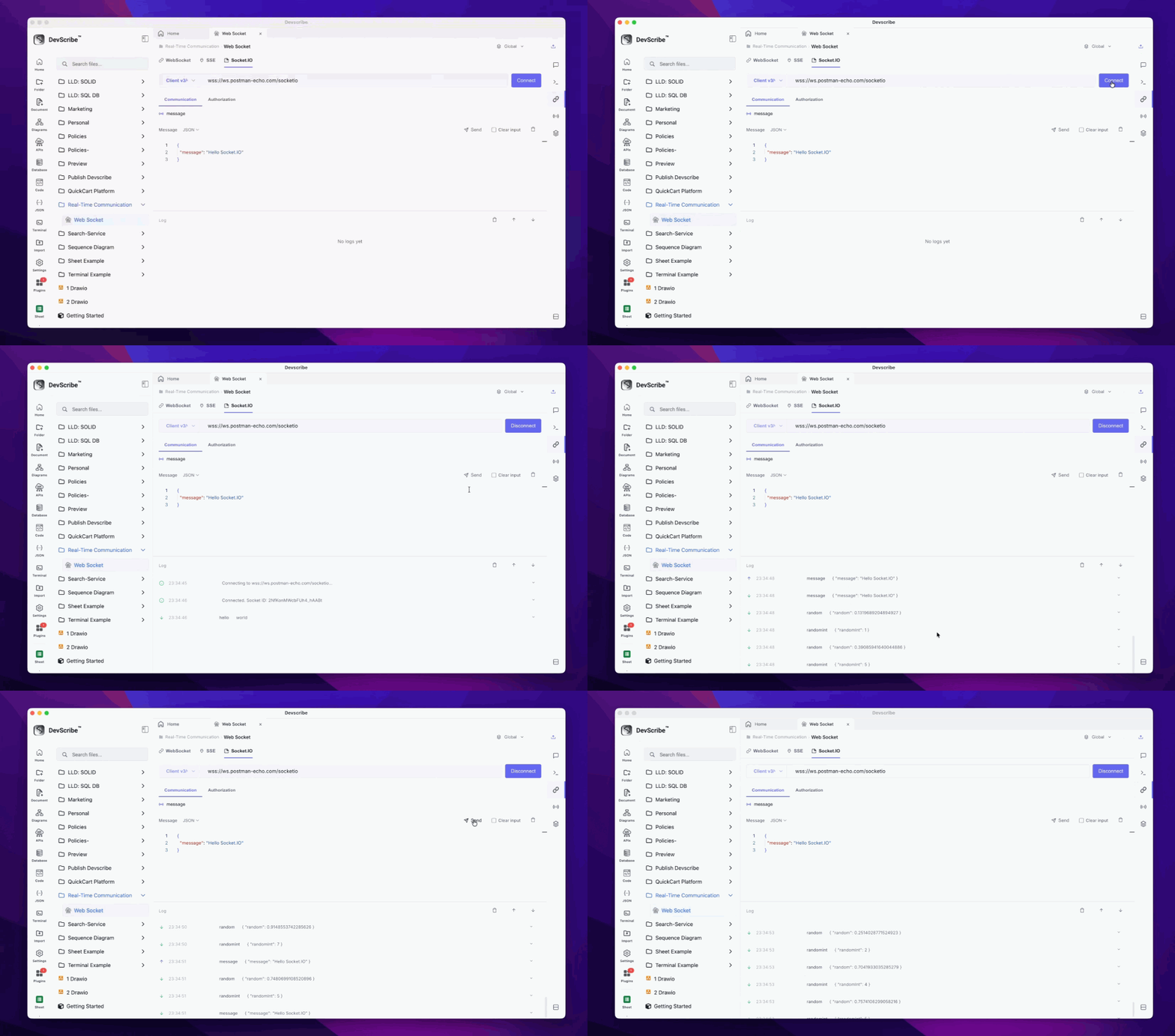
This allows you to quickly verify event-based communication, debug Socket.IO servers, and test application workflows from a single workspace without relying on external tools.
