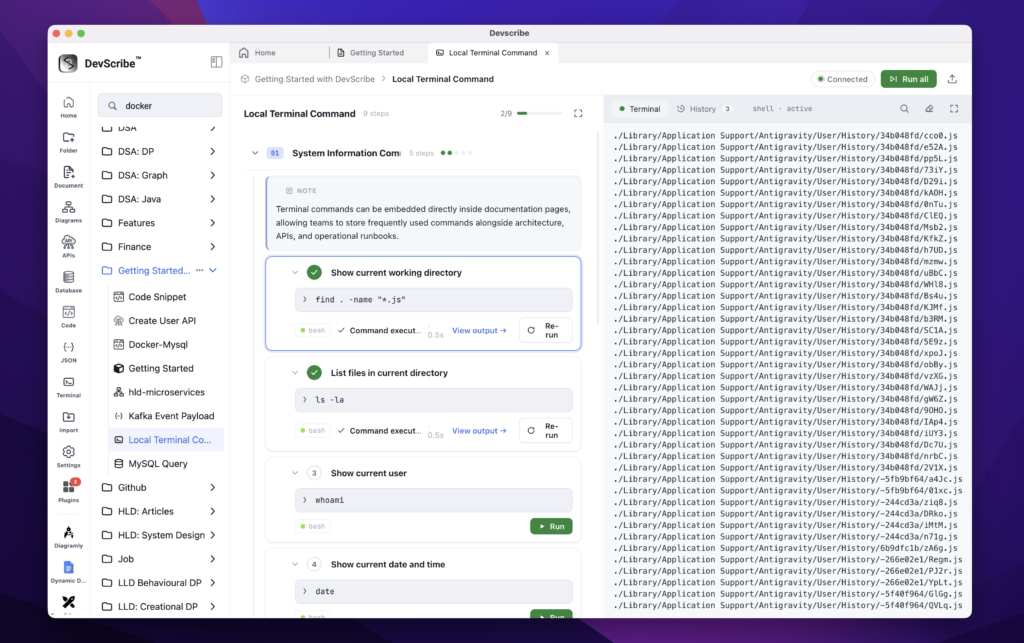
Embedding Terminal Sessions
To add a resource:
- Type
/ - Select Link File
- Choose the project file you want to reference
Terminal files are embedded directly into your documentation as interactive terminal documents rather than static command snippets. This allows setup instructions, deployment scripts, troubleshooting commands, and operational workflows to be documented alongside the rest of your project while remaining executable.
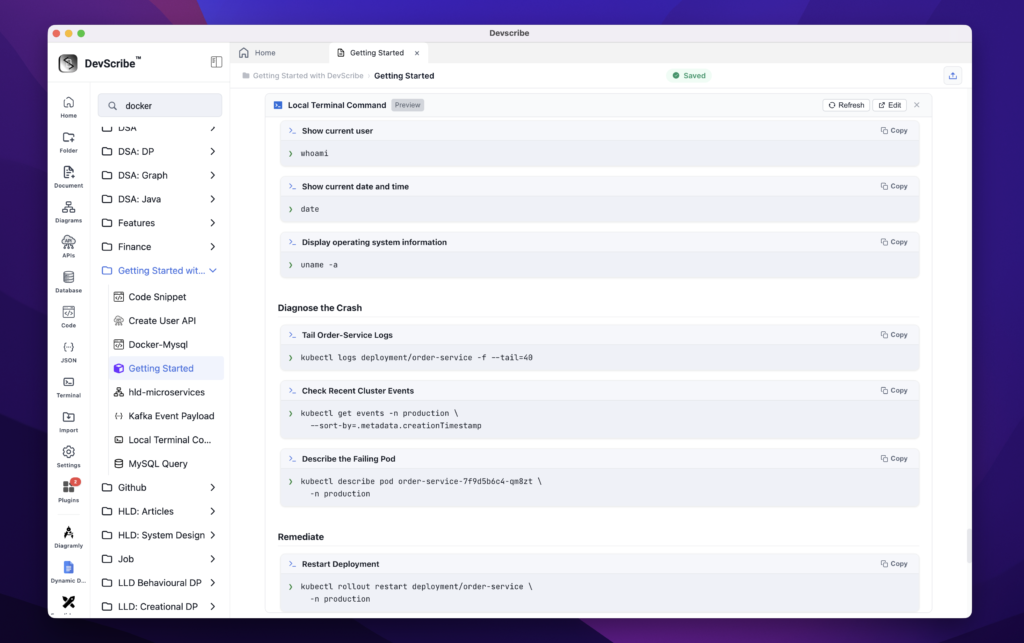
When you need to modify or run commands, simply click Edit on the embedded terminal session. DevScribe opens the file in the Terminal Plugin, where you can edit commands, execute them locally, review the output, and save your changes. Any updates are automatically reflected in the embedded documentation since both views reference the same underlying terminal file.
This makes installation guides, local development setup, deployment instructions, and operational runbooks truly interactive. Instead of copying commands into an external terminal, engineers can open the embedded terminal session, execute the commands locally, and continue following the documentation from the same workspace. This eliminates the need to maintain separate setup guides and terminal notes while ensuring the documented commands always stay synchronized with the latest project configuration.