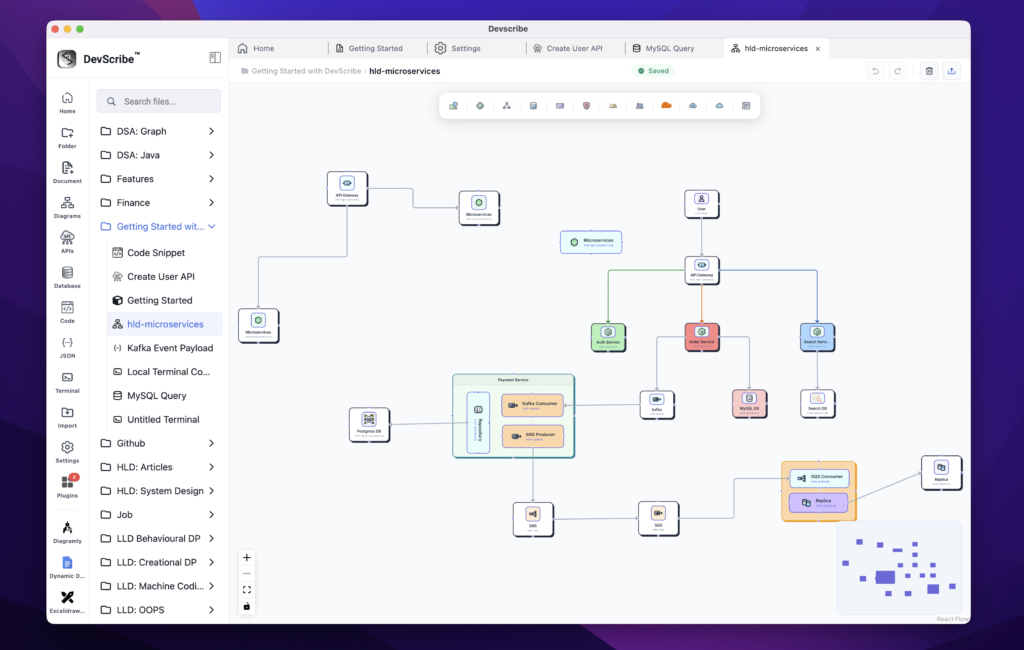
Embedding Diagrams
Diagram files are embedded directly into your documentation as interactive visual diagrams instead of static images. Architecture diagrams, HLDs, LLDs, ERDs, sequence diagrams, flowcharts, UML diagrams, and other visual designs are rendered within the document, allowing readers to understand the system without opening a separate diagramming application.
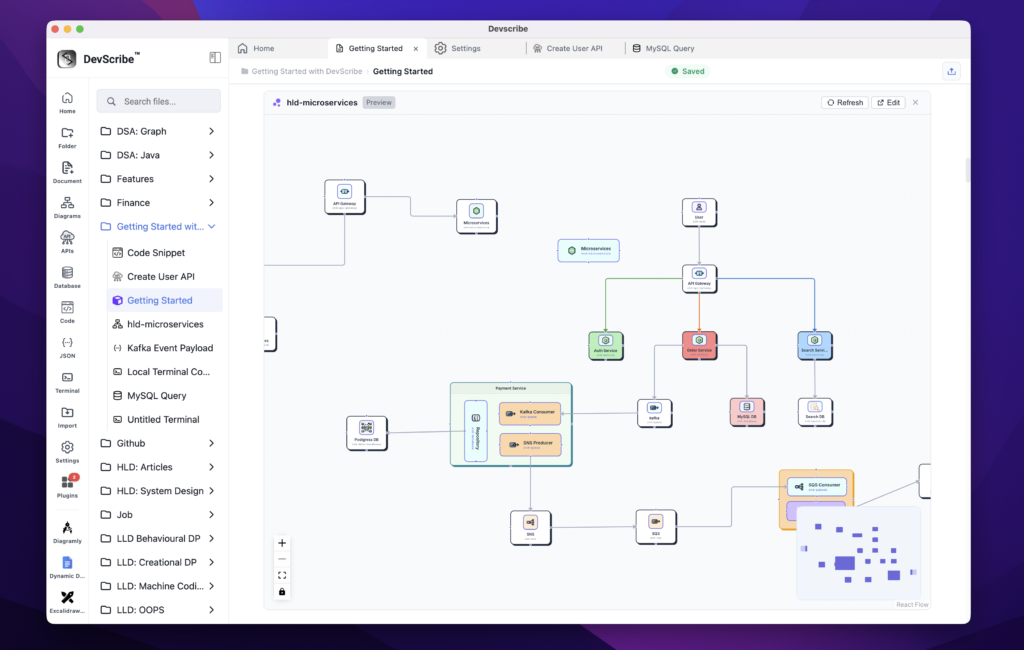
If you need to make changes, simply click Edit on the embedded diagram. DevScribe opens the diagram in the Diagram Plugin, where you can modify shapes, connectors, layouts, annotations, and other elements using the built-in editor. After saving, the embedded diagram is automatically updated throughout your documentation since it references the same underlying diagram file.
This allows teams to document, review, and maintain system designs without relying on external tools such as Draw.io, Lucidchart, Miro, or Excalidraw. Your diagrams remain synchronized with your documentation, ensuring they always reflect the latest architecture and design decisions.