
Code Blocks
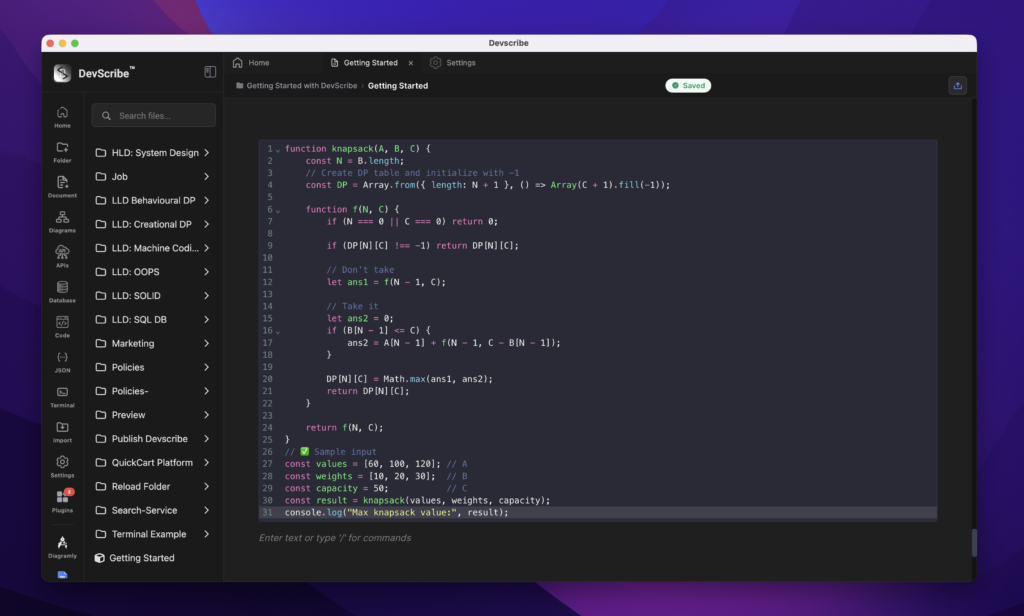
Code Blocks are designed for documenting source code, configuration files, commands, and examples directly within your documentation. They provide syntax highlighting for improved readability but are not executable.
Use Code Blocks when you want to explain an implementation, show sample code, or include configuration snippets as part of your documentation.
Note: If you want to execute code, use the Code Plugin and embed it into your document using Link File. This keeps your documentation dynamic while separating executable code from static reference content.
How to Add
- Type
/ - Select Code Block
- Choose the programming language
- Paste or write your code
Common Use Cases
- Code examples
- Configuration files
- SQL query samples
- Shell command examples
- YAML and Docker Compose snippets
- JSON payload examples
- API request and response samples
- Documentation snippets
Supported Languages
The Code Block supports syntax highlighting for many popular programming and markup languages, including Java, JavaScript, TypeScript, Python, C, C++, C#, Go, Rust, Kotlin, Swift, PHP, Ruby, SQL, HTML, CSS, XML, YAML, JSON, Bash, PowerShell, Markdown, Dockerfile, and many others.
