When I started preparing for Data Structures and Algorithms (DSA), I quickly realized one thing — managing my study material was far more chaotic than solving the actual problems.
I had to jump between multiple platforms every single day:
- YouTube or blogs to learn a new concept
- Bookmarks and notes scattered everywhere
- LeetCode or other coding platforms (often behind a paywall) to practice
- Separate editors or tools like Notion to write and store notes
This setup felt like juggling a dozen things at once.
It wasn’t just inconvenient — it constantly broke my focus.
And the worst part?
If a YouTube video got deleted or a blog was taken down, all my reference material disappeared with it.
Revising concepts later became frustrating and disorganized.
Building Devscribe — My All-in-One Developer Workspace
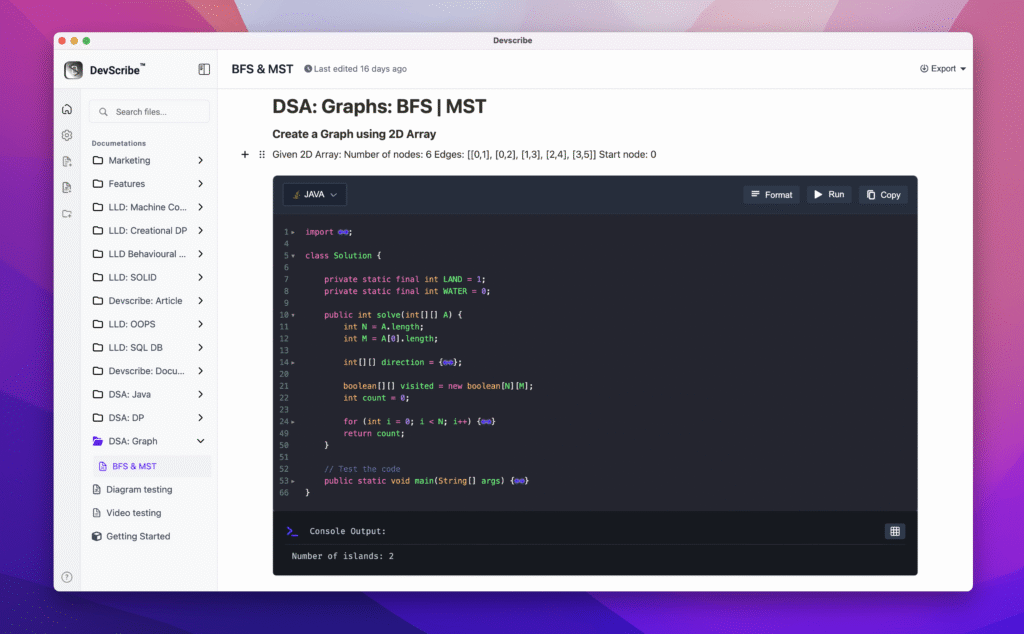
That’s when I decided to build Devscribe — a distraction-free, offline workspace that lets me learn, write, and practice code in one place.
With Devscribe, I can:
- Write documentation and notes as I study DSA
- Execute code snippets right inside the same document
- Visualize data structures using a built-in diagramming tool
- Run code in Java, JavaScript, and TypeScript (with more languages coming soon)
No switching tabs.
No losing focus.
No worrying about internet connectivity or disappearing resources.
How It Changed My Learning Flow
Now, when I study a concept like linked lists or binary trees:
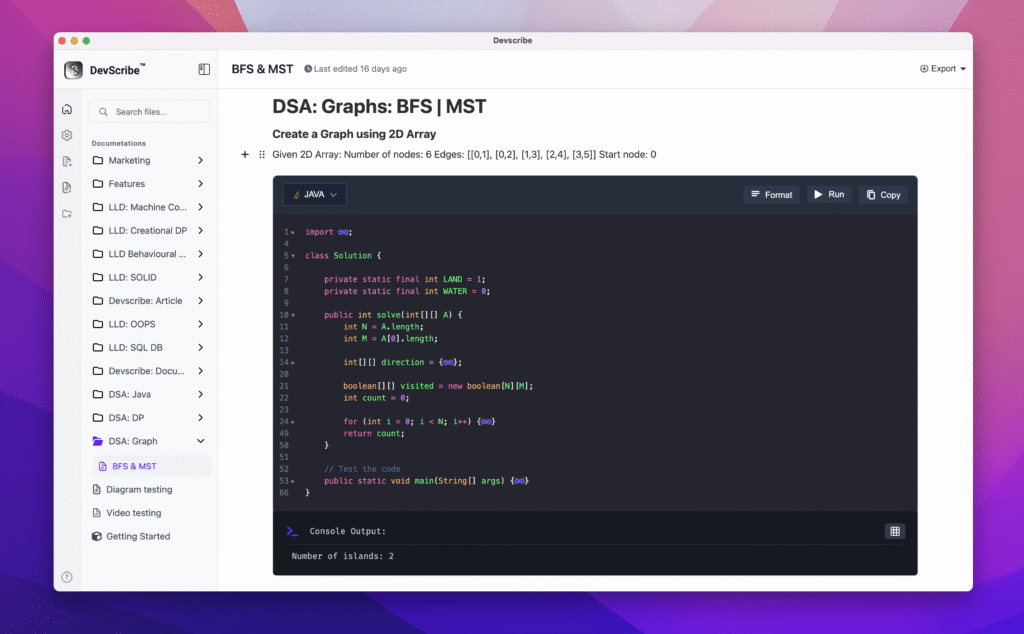
- I write my explanation and executable code right inside a Devscribe document.
- I test the same code instantly within the editor.
- I use the diagram tool to visualize how the structure evolves step-by-step.
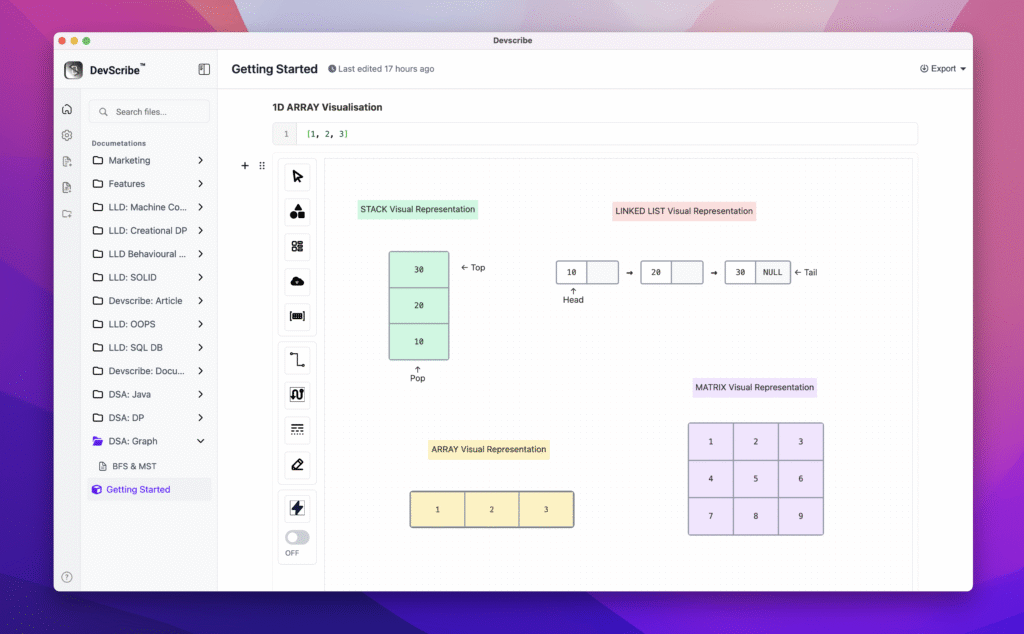
Everything stays neatly organized and accessible offline — my entire learning history, notes, and executable code are all in one workspace.
The Result: Simplicity, Focus, and Ownership
Devscribe removed the clutter from my DSA journey.
It gave me a sense of ownership over my learning material and the freedom to experiment, revise, and grow — all without depending on external platforms.
If you’re a developer who’s tired of jumping between too many tools just to stay consistent, Devscribe might just become your favourite documentation companion.
👉 Check out Devscribe — and start learning smarter, not harder.