
API documentation has always been a two-step dance: write the docs, then test them elsewhere. Devscribe breaks this pattern by bringing execution directly into your documentation. Here’s how this simple shift transforms the entire API documentation experience.
The Problem: Dead Documentation
Traditional API docs are static. You read, copy to Postman, test, debug, repeat. Meanwhile:
- Examples become outdated
- Developers waste time switching tools
- Documentation and reality drift apart
The Solution: Living Documentation
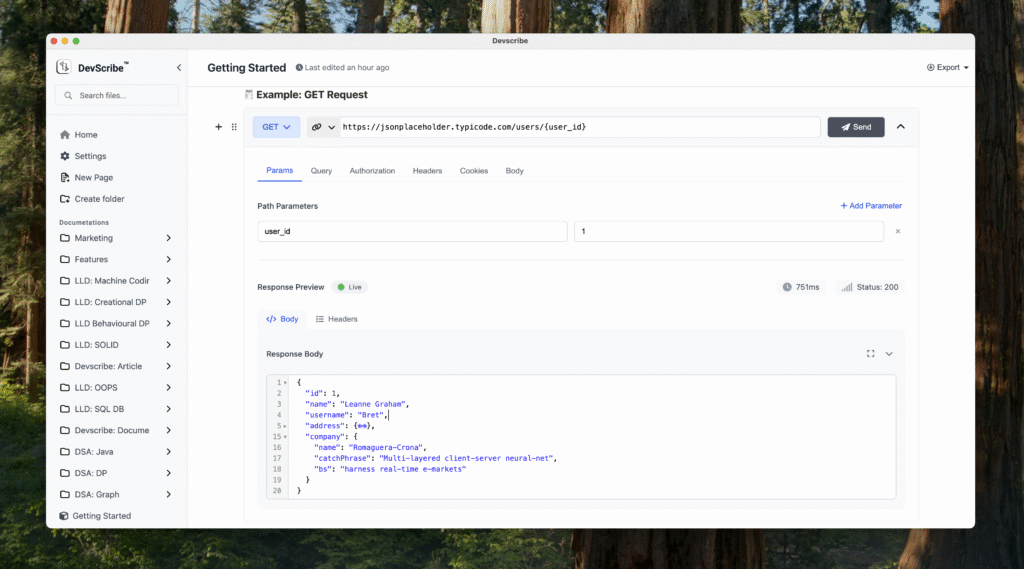
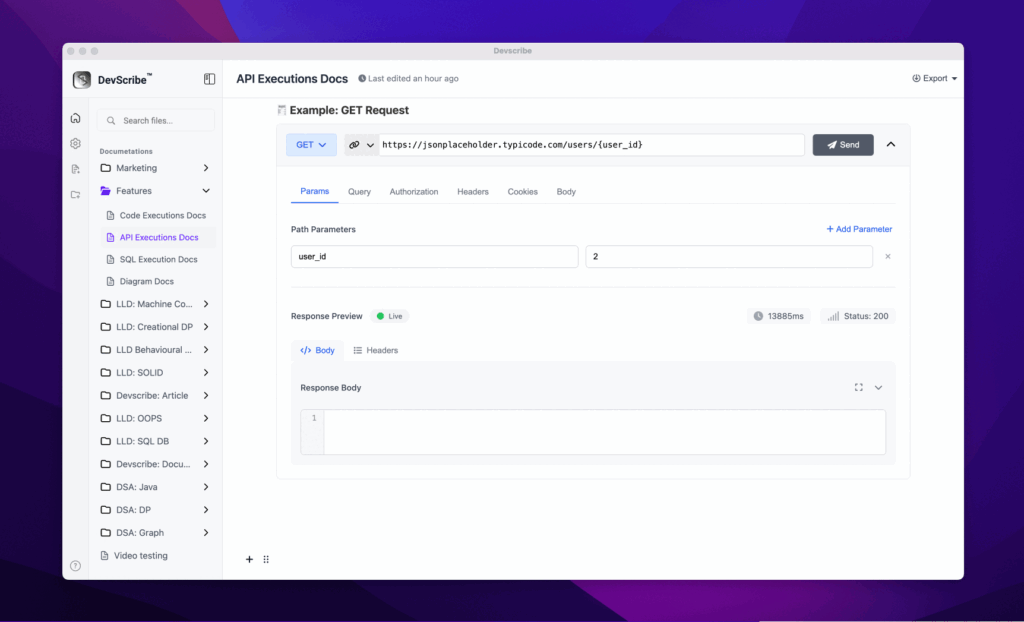
Devscribe makes every API example executable. Click “Send” right in the docs. See real responses instantly.
What Changes Everything
1. Test While You Read
No more tool switching. Execute requests directly in documentation.
2. Environment Variables
Define once, use everywhere:
3. Real Responses
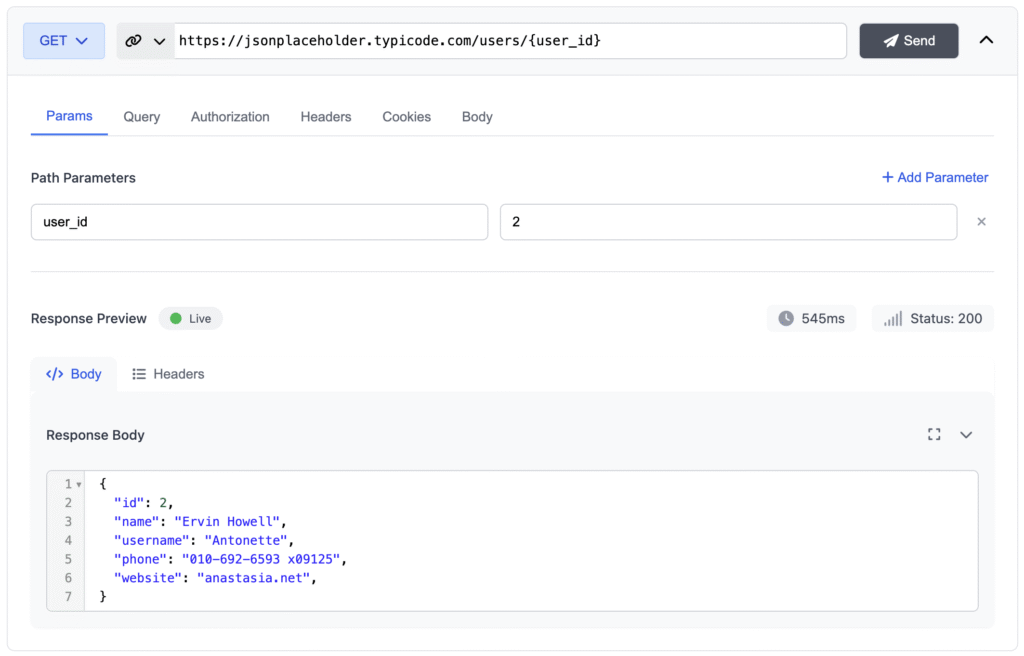
See actual data, status codes, and response times—not static examples.
How It Works
Write Once, Execute Anywhere
Instead of this static example:
GET /users/123 Response: { “id”: 123, “name”: “John” }Create executable block with complete request control
Configure everything:
- Headers & Auth
- Query parameters
- Request body
- Response validation
Real Impact
For Developers
✅ Test APIs instantly while reading docs
✅ Know examples work—you just ran them
✅ Experiment with parameters in real-time
For API Teams
✅ Always-accurate documentation
✅ Fewer support tickets
✅ Document and test simultaneously
Quick Example: TODO API
Traditional Documentation:
POST /todos
Body: { "title": "Buy milk" }
Response: { "id": 123, "title": "Buy milk" }
Hope it works!
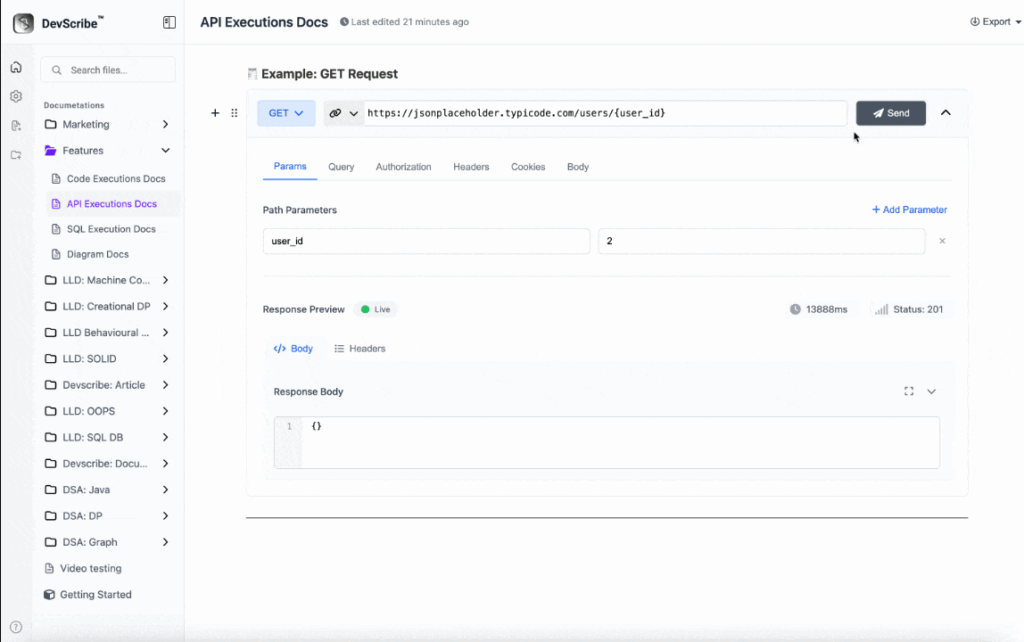
With Devscribe: !
The Bottom Line
Devscribe isn’t just better documentation—it’s documentation that proves itself. Every example is tested. Every endpoint is verified. Every developer saves time.
Stop maintaining separate docs and test collections. Start executing while you document.
Ready to try it? Check out devscribe for live examples.
2 Responses
I know this site offers quality based posts and extra stuff, is there any other web page which presents
these things in quality?
Hello to all, how is the whole thing, I think every one is
getting more from this website, and your views are nice
for new people.